
iPhone & iPad · $3.99 US upfront price
App Store submission in progress
From capture file
to clear report.
Open an existing PCAP or PCAPNG, find the busiest address pairs and inspect actual packet headers. Keep your observations and share a PDF, CSV and JSON report.
Everything is processed on your device. One purchase includes the entire workflow, with no subscription, account or in-app purchase.
Regional prices vary. Public availability is not claimed. Screens show original fictional example traffic using documentation-only addresses.
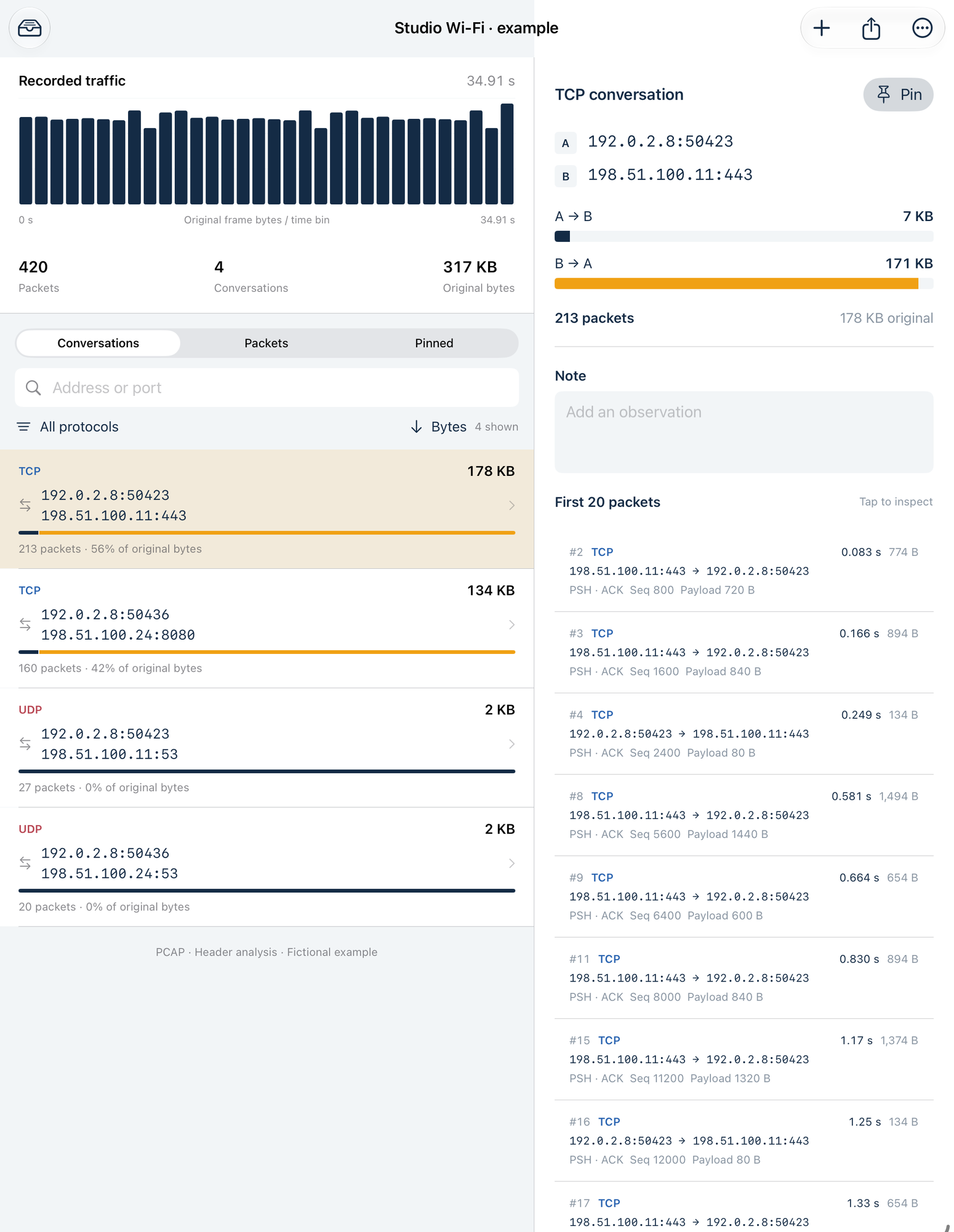
Inspect. Annotate. Hand over.
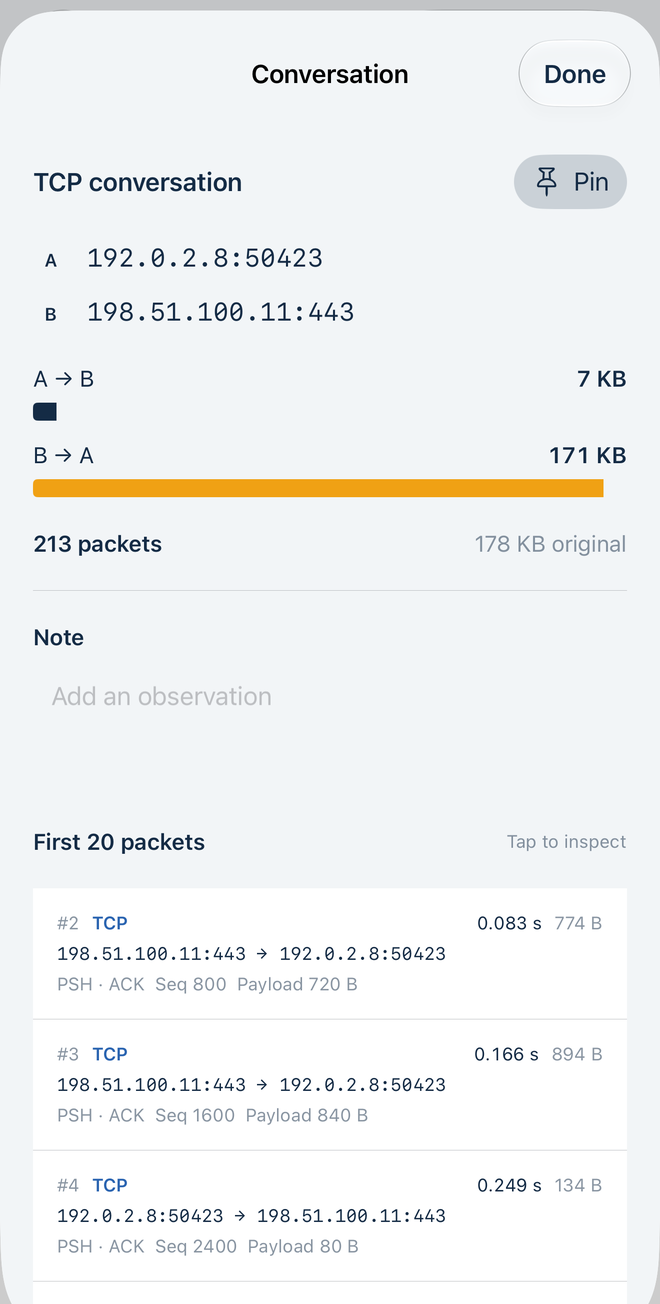
Follow each address pair
Sort by original byte count or packets. Filter by protocol, address or port. See each direction, open a packet header and inspect the first 256 stored frame bytes in hex and ASCII.
Pin conversations and add notes. Save up to 12 named captures with local original copies; reopen or delete them from Saved captures.
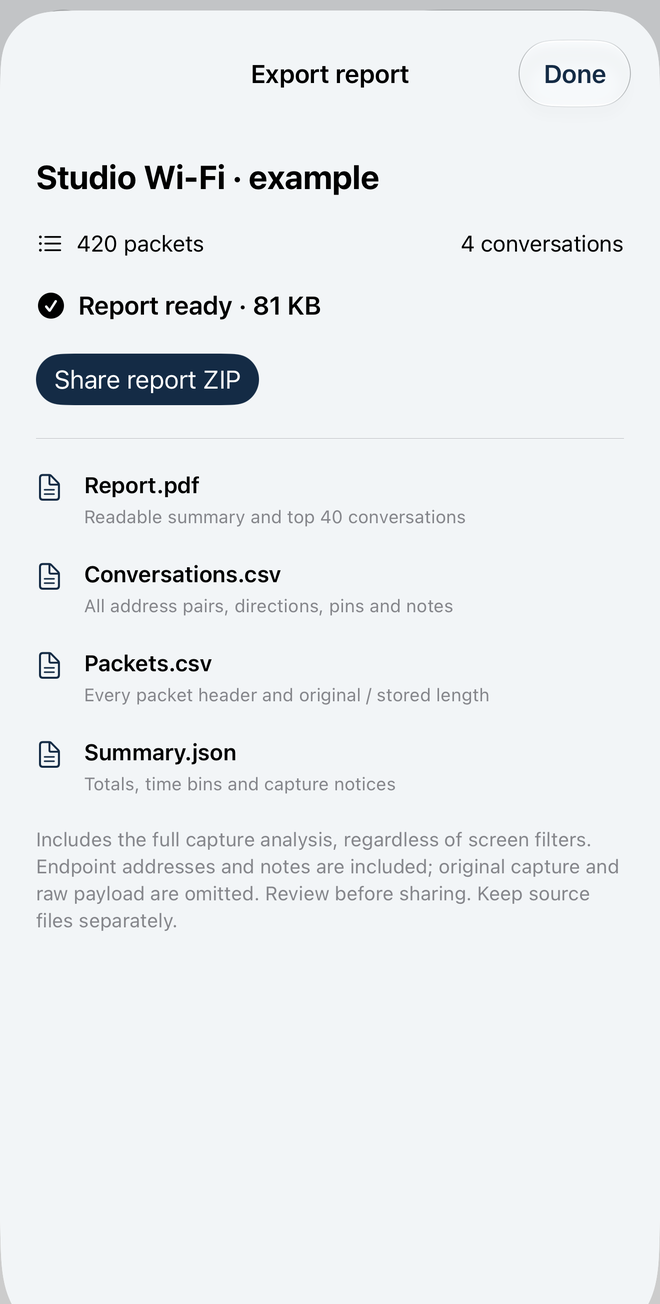
Export an actual analysis
Build one ZIP containing Report.pdf, Conversations.csv, Packets.csv, Summary.json and a scope Readme. The PDF lists the top 40 conversations; the CSVs contain all conversations and packet header records.
Reports always cover the full capture, independent of screen filters. Original capture and raw payload are omitted; endpoint addresses, ports and notes are included. Review before sharing.
Know what the file can tell you.
Conversations aggregate protocol plus unordered address/port pairs. They are not reconstructed TCP sessions. Byte totals use original lengths recorded in the file, not measured bandwidth. Time charts exclude packets without timestamps. Port numbers do not identify applications.
Up to 32 MiB and 50,000 packet records per source; up to 250 MiB of original capture storage across 12 saved captures. Import and report creation need free device space. PCAP 2.4 supports micro/nanosecond timestamps and both endian orders. PCAPNG supports multiple sections/interfaces and enhanced, simple and legacy packet blocks; non-packet metadata is omitted.
Header decoding covers Ethernet with up to two VLAN tags, raw IP, Linux SLL/SLL2, IPv4, IPv6 basic extensions, TCP, UDP, ICMP and IPv4 ARP. Unsupported or incomplete traffic stays in packet totals with capture notices.
Caprill does not capture live traffic, scan a network, run a VPN, contact hosts, resolve names, decode application payloads, decrypt TLS, reassemble streams, validate checksums or diagnose latency, loss, attacks or security. Keep original files separately. Export ZIPs are reports, not editable backups.
Support
Email maga40@naver.com with “Caprill”, your iOS version, file format and the step that failed. Do not send sensitive captures. A minimal non-sensitive example is optional.
How do I open and report a capture?
Tap Import capture and select an existing PCAP or PCAPNG in Files. Tap an address pair for directions, pins, notes and individual packets. Open Report, build the full capture report, then Share report ZIP. The optional fictional example exercises the same parser and reporting workflow.
Why are some records unsupported or untimed?
Some link/header types fall outside the supported scope, headers may be incomplete, and simple PCAPNG packet blocks do not contain timestamps. Records remain in totals. Missing times are excluded from the chart; notices explain these limits.
How do I keep or remove work?
Saved captures opens your local library. Reopen a capture, use the ellipsis menu to rename it, or swipe it in Saved captures and confirm Delete. Deleting removes its local source and reports. Keep originals and important reports separately.
Privacy policy
Effective October 1, 2026. Gobling Company does not collect data through Caprill. The app contains no analytics, advertising, tracking, account, backend, network scanner, VPN or developer upload. Selected captures, header analysis, local copies, names, pins, notes and generated reports stay in app-local storage until you explicitly share with the system share sheet. We receive none of those operations.
Files selected through Files may use a provider you choose, including iCloud Drive. Device backups follow system settings and are outside our control. The app checks available disk capacity only to decide whether capture files can be written and never transmits it. Deleting a capture removes its app-local source and reports; uninstalling removes app-local data.
If you contact support, voluntarily provided email content is used to answer your request. This public website and email services are separate from the offline app; their providers may process ordinary request information. Contact maga40@naver.com for privacy questions or deletion of support correspondence.
Terms of use
Inspect and share only captures you are authorized to use. Keep originals separately and check reports before relying on or sharing them. Caprill provides the supported offline header-analysis workflow described above, not security certification, packet capture, stream reassembly or universal format support. Endpoint addresses, ports and notes can be sensitive. App Store purchases, refunds and Apple's standard license terms apply. Gobling Company owns Caprill and its original example and artwork; you retain rights to your own files. Contact support for defects.