 Darksift Master FITS
Master frames.
Ready to reuse.
Combine your same-grid dark or bias frames, inspect the pixels that were excluded, and take the real FITS master into your next step.
iPhone & iPad · $4.99 once · Works offline
App Store release pending. Regional prices may differ.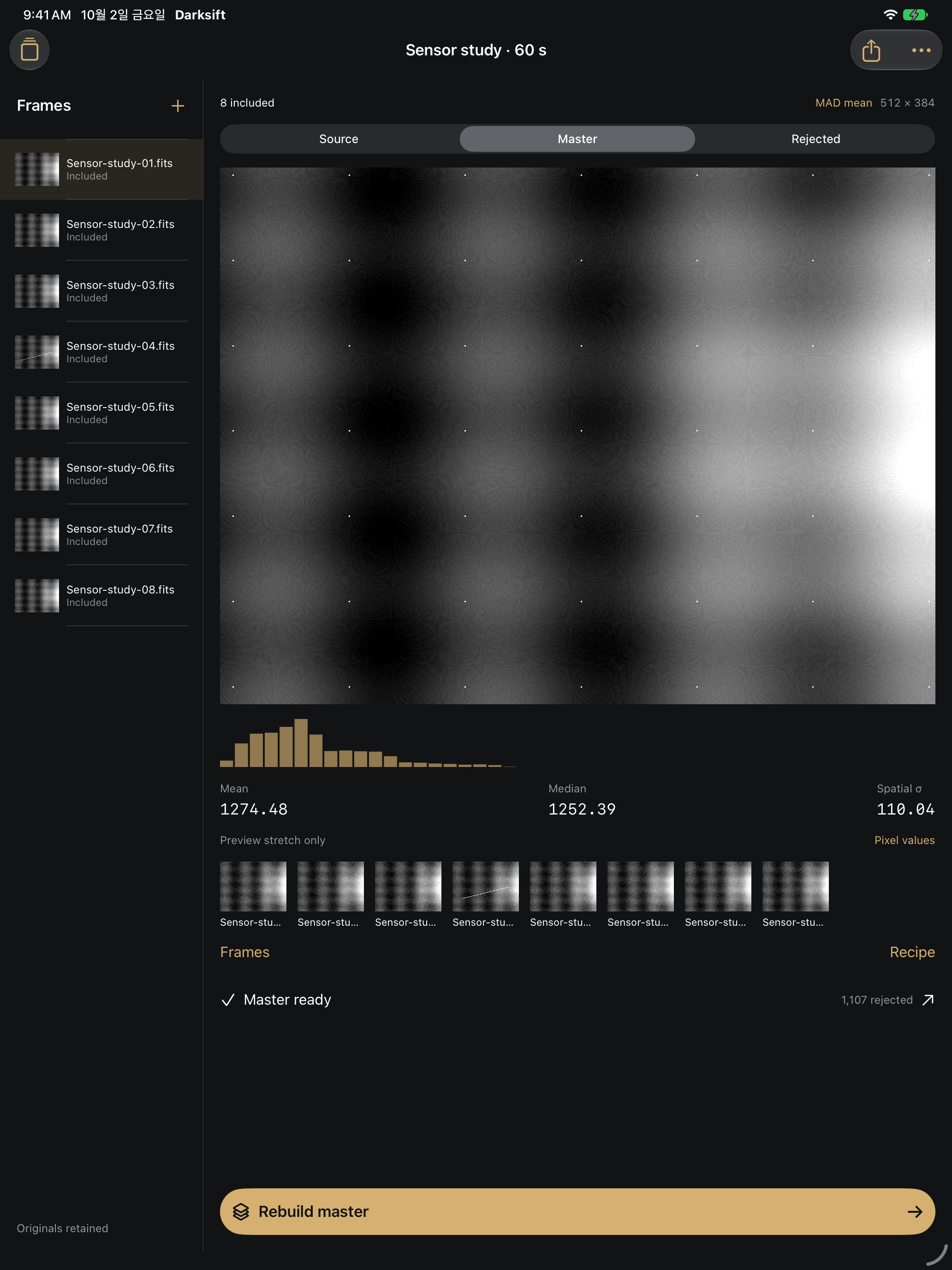 Original synthetic sensor study. Actual app output; not a camera capture.
A small, complete workflow
Your values, your files.
A preview stretch helps you see the sensor pattern. It never changes the numeric FITS output. Keep originals locally and return to the same saved recipe.
- Import owned FITS dark or bias frames through Files.
- Include the matching inputs. Choose mean, median or one-pass MAD mean.
- Inspect source, master and rejection map. Read exact pixel values across the inputs.
- Share a float32 Master.fits with the count map, PDF proof, CSV input list and recipe in one ZIP.
Before you buy
- Supported inputs
- 2–32 included uncompressed primary 2D FITS images. BITPIX 8, 16, 32, −32 or −64 with finite scale, offset and pixel values. Up to 8 MP and 70 MB per file, 64 million decoded float32 values per batch. Twelve local batches.
- Matching and exclusions
- Dimensions must match. Conflicting known exposure, gain, temperature, instrument, filter, Bayer pattern, binning, image type or unit values stop the build. Missing fields require your confirmation. Header checks do not establish camera compatibility.
- What Darksift does
- Mean and median reject no samples. MAD mean uses one pass with 1.4826 × MAD, a threshold of 2–6 and an absolute floor of 0.000001. The rejection FITS records the full excluded-sample count map. The CSV lists up to 100,000 nonzero pixels.
- Workflow limits
- No capture, telescope connection, star alignment, debayering, normalization or light-frame calibration. No compressed FITS, extra HDUs, cubes, BLANK pixels, XISF, JPEG or RAW. Only common acquisition headers are carried into the output; arbitrary WCS is not preserved. Float64 input is decoded into float32. Confirm the exported master in your own compatible workflow.
- What stays local
- Originals and recipes are saved in the app. The ZIP holds derived output; originals can be shared individually. Recipe JSON documents settings and is not an importable backup. Deleting the app can delete local files; export anything you need to retain.
Support
Email maga40@naver.com with your app version, device, BITPIX, dimensions and error message. Share files only if you own them and are comfortable sending them.
Why did a build stop?
Check that at least two frames are included, geometry and acquisition fields agree, and the decoded-value limit is not exceeded. If a header is missing, verify the sensor and settings yourself, then acknowledge the missing fields in Recipe. A known mismatch must be resolved by excluding the differing file or using another batch.
How do I save the result?
Build master → Files → Write master files → Share master ZIP → Save to Files. You can also share each derived file or original. The two-page PDF is a stretched visual proof, not numeric calibration output.
Privacy policy
Effective October 2, 2026. Darksift does not collect data. It has no account, advertising, analytics or third-party tracking SDK. FITS reading, previewing and combining happen on your device. Files, batch names, notes and recipes are stored locally.
Import and sharing are initiated by you through the operating system. Your chosen Files provider or destination may process data under its own policy. The app does not upload your files to Gobling Company. Support email contains only what you choose to send and is used to answer your request.
Delete frames or batches from their lists, or delete the app to remove its local data. OS backups and copies you exported remain under your control. Questions: maga40@naver.com.