A guide for
your next texture.
Bring an OBJ with existing UVs. Find its islands, inspect them on the model, and export a painting guide.
Submitted for App Review; release follows approval.
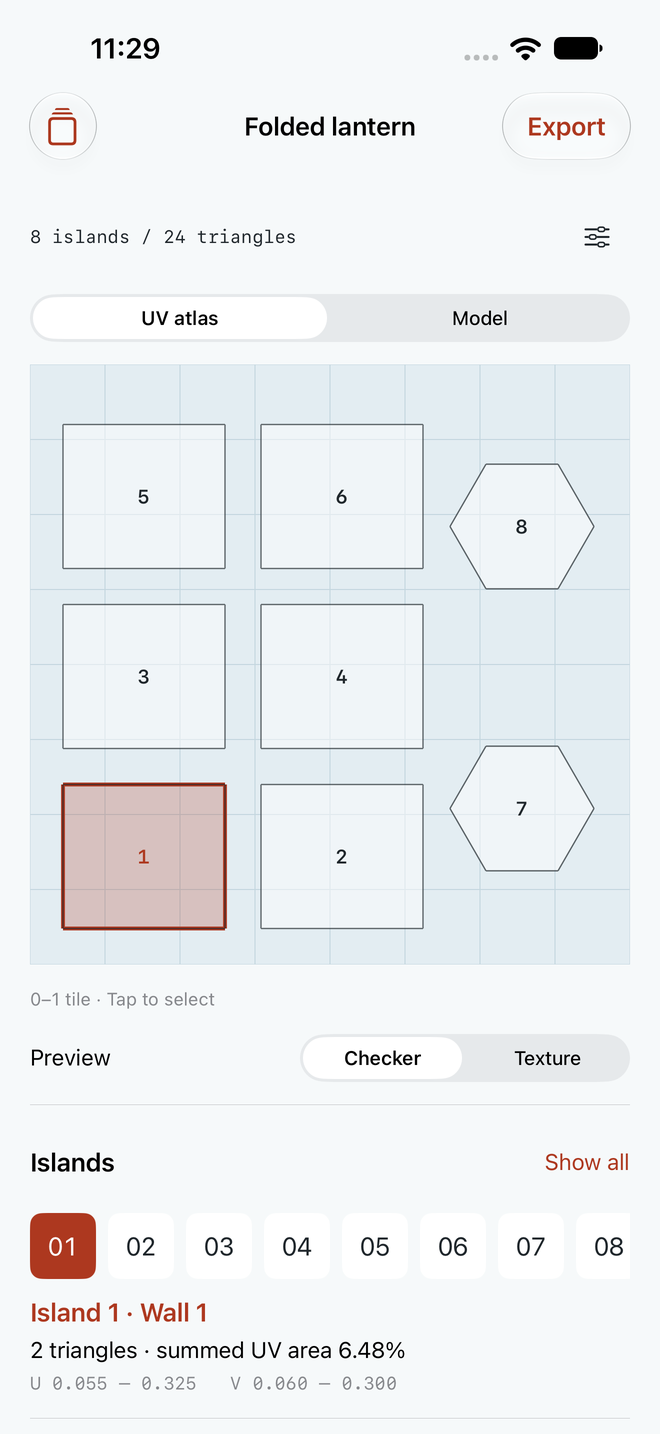
Original study shown. Bring your own materials.
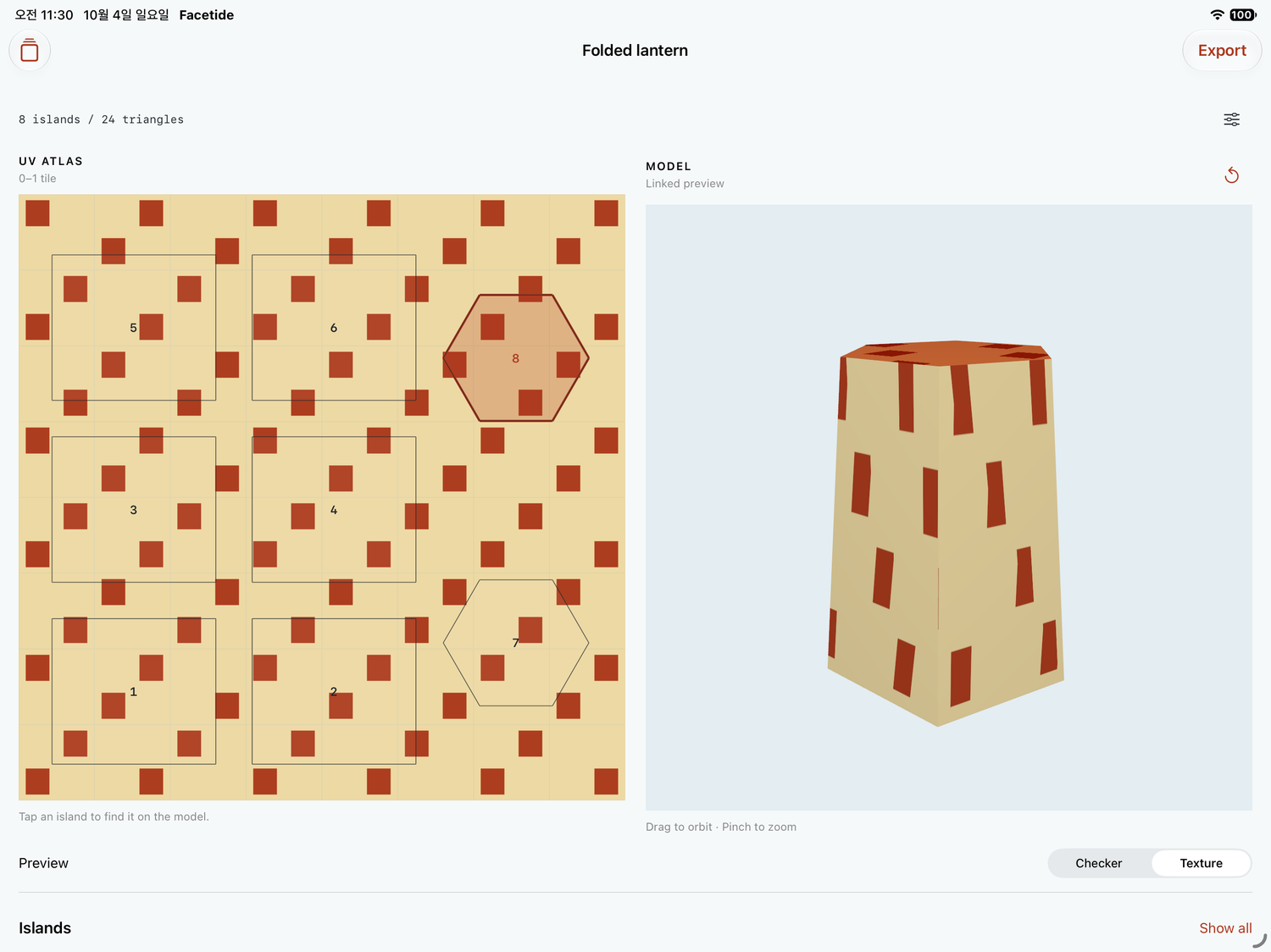
Inspect the surface
Select a numbered island or tap a surface. Orbit and zoom the model. Switch between checker and your PNG/JPEG texture.
Make the handoff
Transparent PNG, SVG, checker, island CSV, unchanged OBJ, restorable project and Readme. Share actual files through Files or the native share sheet.
Keep it local
24 local projects including recoverable Trash with confirmed permanent deletion. Rename, duplicate and restore JSON backups. No account, ads, analytics, subscription or app network requests.
Existing UVs, unchanged.
Facetide is a guide tool. It does not unwrap, edit or pack UVs, detect overlap, bake materials, read MTL/PBR assets, repair meshes or support UDIM. Desktop Blender and other 3D editors handle broader workflows.
Use a UTF-8 polygon-only Wavefront OBJ up to 4 MiB, 100k positions/UV coordinates and 20k triangles after triangulation. Triangles or planar convex quads only. Every corner must have existing UVs inside the unit 0–1 tile. Negative indices are supported. Connectivity uses shared vertex indices with matching UV endpoints.
One PNG/JPEG up to 8 MiB / 24 MP is normalized to at most 2048 pixels. This is an uncalibrated diffuse preview. Guides retain the whole unit tile with V flipped for image coordinates. CSV reports summed UV triangle area, not unique coverage. Overlap remains overlap. JSON backups: 16 MiB maximum.
Support
Email maga40@naver.com with Facetide, your device and app version, the steps involved and the error shown. Do not send private meshes or textures unless you choose to and hold the necessary rights.
If an OBJ is rejected, triangulate concave/nonplanar faces in your editor, include UV coordinates, keep them in the unit tile, and export polygon-only OBJ. External materials are not read. Save JSON backups outside the app before uninstalling. Removing the app deletes its local storage.
To export: open a project, select Export, choose guide options, and tap Build painting guides. Then Preview or Share or save all files. Restore project JSON in Library creates a new local project; it does not overwrite an existing one.
Privacy policy
Effective October 4, 2026. Gobling Company does not collect data from the Facetide app. The app has no account, advertising, analytics, tracking SDK or app network requests. Imported OBJ files, normalized textures, output settings and projects are stored locally on your device.
The app accesses files you explicitly select through the system picker. Sharing sends only the files you choose to the destination you choose, under that service's policies. Apple may process purchase or diagnostic data under Apple's policies. Links you open use your browser. This website's hosting provider may process normal request information to serve the site.
Local projects can be moved to Trash and restored. Permanent deletion requires a separate confirmation and removes the app’s retained source, texture and settings. External JSON backups are unaffected. Save backups outside the app before uninstalling. Uninstalling removes the app's local data. If you contact support by email, we receive what you send and use it to respond. Questions: maga40@naver.com.
Terms
Facetide is a limited painting-guide utility, not a general modeling editor, manufacturing tool or professional certification service. You are responsible for your imported materials and for checking exported files in your target workflow. Use only materials you have permission to use. No particular revenue, artistic, engineering or production outcome is promised.
App Store purchases are subject to Apple's standard end-user license agreement and refund process. Prices can vary by region. All current app tools are included in the one-time purchase; no subscription or in-app purchase is required.