
Clear the pattern.
Keep the picture.
Target regular dots and lines in scanned still images. Select paired frequency peaks, inspect the real before-and-after, then export cleaned PNGs with repeatable settings.
One upfront purchase · $3.99 US base price
No account, subscription, ads or developer upload.
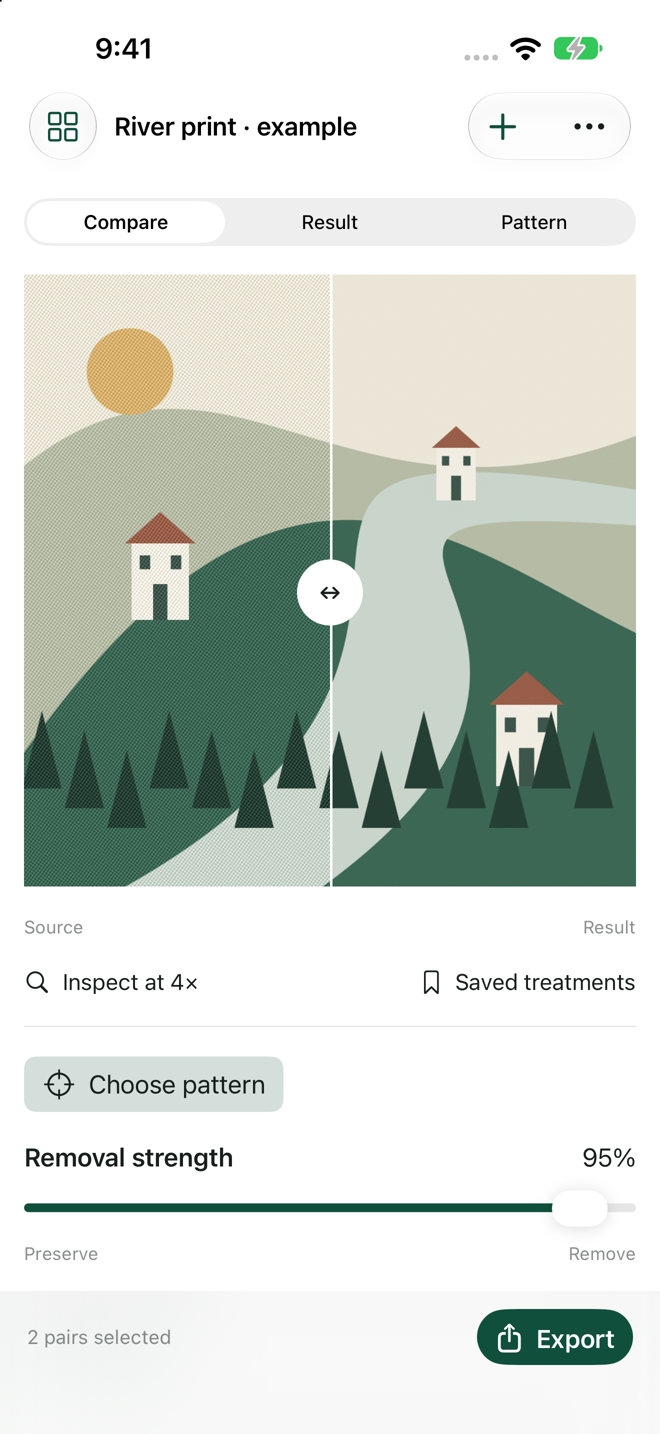
Make a controlled pass.
Select
Import PNG, JPEG or HEIC from Files. Tap bright peaks in the frequency map or try suggested points. The conjugate mirror follows automatically. Adjust width and removal strength.
Inspect
Drag the source/result divider and inspect the center at 4×. Narrow selections help preserve nearby detail. Save projects and named treatments for another pass.
Deliver
A real ZIP contains Cleaned.png, Comparison.png, Spectrum.png, Settings.json and Readme.txt. Exported PNGs use the same processor as the preview.
Working copies use a 2048-pixel longest side and opaque sRGB; transparency flattens to white. Single stills from 32 pixels per side, up to 30 MB and 50 million source pixels. Twenty projects, 20 treatments per project, 400 MB working-library limit. Packages omit source originals and metadata and are not editable backups. Keep originals separately. Periodic-pattern removal may blur details or create ringing; it cannot guarantee removal of every moiré, halftone or grain. No general AI restoration, RAW/PDF/video or batch processing. The optional original example has two known pattern pairs preselected; imported files start unselected.
Support
Email maga40@naver.com with your app version, device and a description of the issue. Share an image only if you choose to and have permission. Start with narrow selections, use Compare and inspect fine textures before exporting. In-app Help explains frequency selection and limits.
Privacy policy
Effective October 1, 2026. Gobling Company does not collect personal data through Halvane. No account, analytics, advertising, tracking or developer server is included. Imported working images, project names, treatments and recent export files remain on your device. They leave only when you choose a destination in Apple's sharing interface; that destination has its own policies. Device backups are controlled by your system settings. The source app does not receive your exports. Remove projects through Projects, or remove the app to clear app-local data. Source files in Files remain separate. If you email support, we receive your email and voluntarily attached information solely to answer your request. Contact maga40@naver.com for privacy questions.
Terms of use
Use images you are authorized to process and share. Halvane provides a targeted image-processing tool without a promise of restoration, calibrated color or print suitability. Review your outputs and retain source originals. The upfront App Store purchase is governed by Apple's standard license and purchase terms. No recurring developer charge applies.