One target.
Real audio files.
Bring short soundboard cues, music excerpts and editing assets toward a common loudness. Lavelt renders new WAVs, then measures the actual result.
iPhone & iPad · $3.99 upfront US price · App Store review required before sale
One purchase. No subscription, in-app purchase or account. Regional prices vary. No public availability is claimed yet.
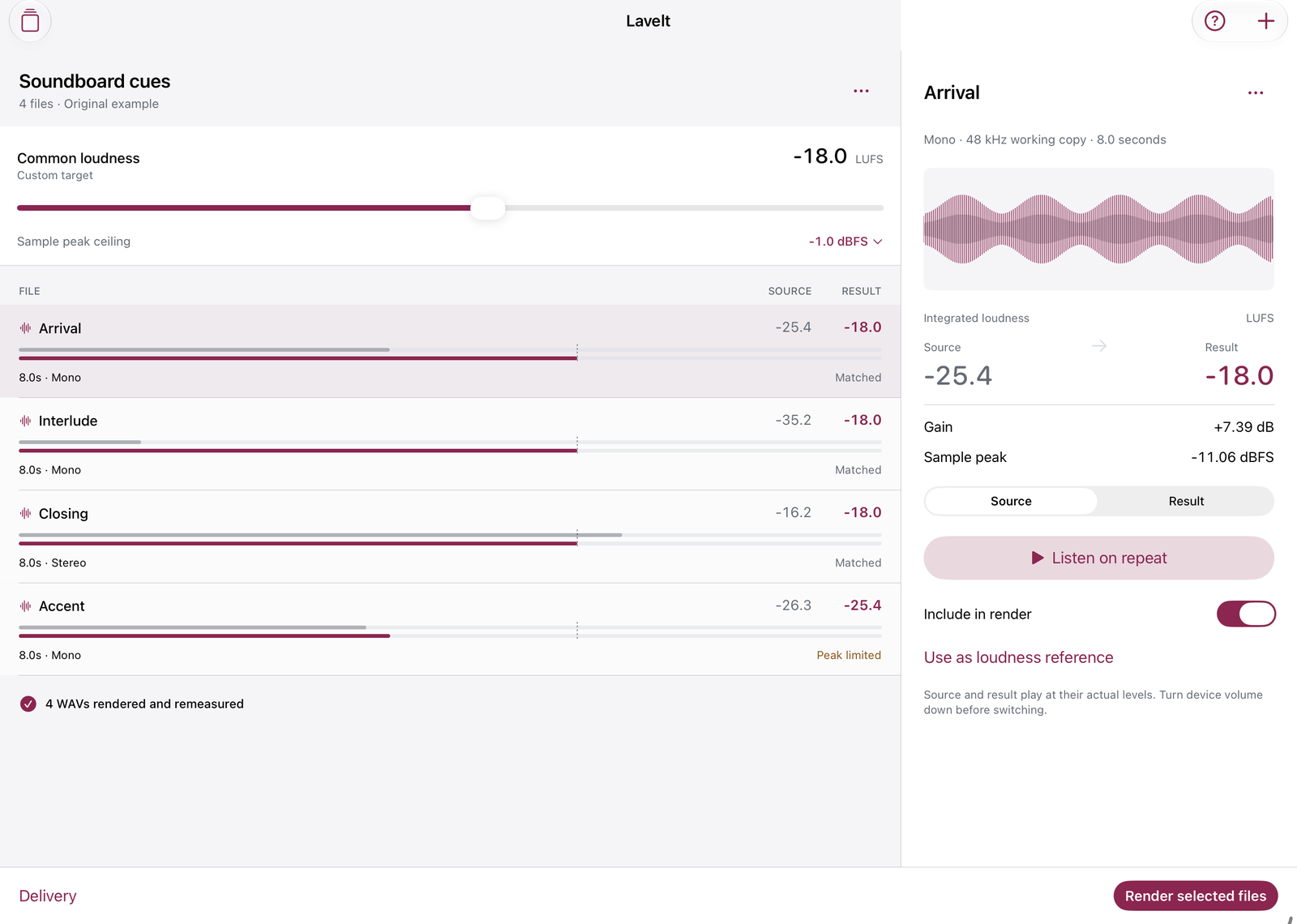
A complete batch, from Files to delivery.
Measure and match
Import up to 12 mono or stereo clips. Pick a custom LUFS target or a measured file as reference. Constant gain preserves dynamics; the sample-peak ceiling constrains that gain. Every output is measured again.
Listen and keep working
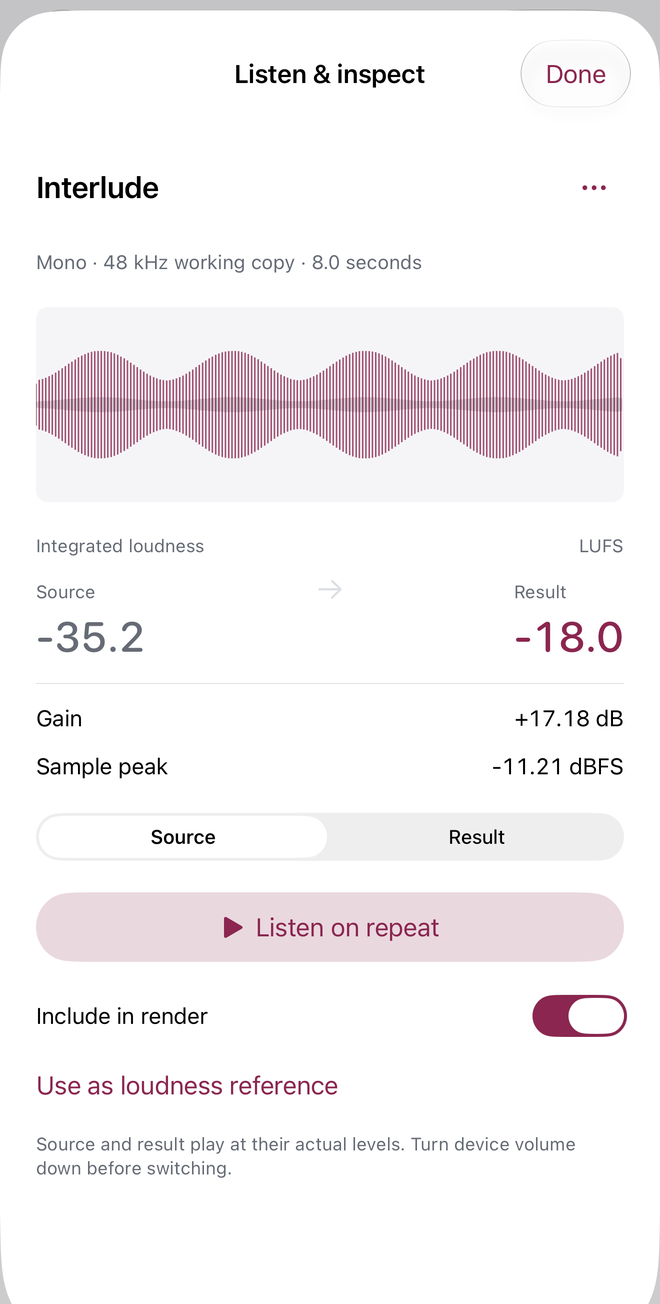
Compare source and actual rendered sound on repeat. Reopen up to 12 saved batches and reuse 20 named loudness/ceiling targets. An optional original synthesized example demonstrates the full workflow offline.
Deliver real WAVs
Share a ZIP containing included rendered WAVs, Measurements.csv, Settings.json and Readme.txt. Peak-limited files are clearly marked with their actual results.
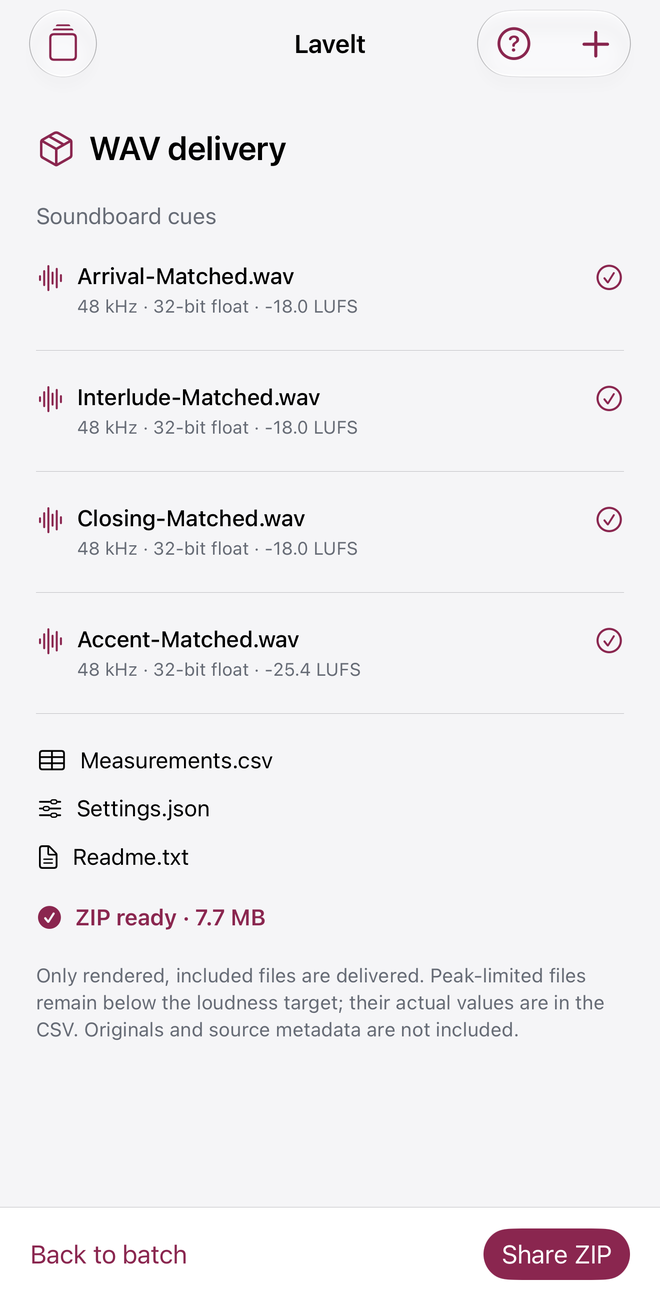
Shown screens use Lavelt's original synthesized example, not customer audio. Actual Release app captures.
Built for short audio.
Each source must be no larger than 50 MB and decode to 0.4 seconds–3 minutes. Mono/stereo WAV, AIFF, M4A and MP3 rely on the system decoder. Protected and multichannel audio are unsupported. Working audio and output use 48 kHz, 32-bit float WAV. The local working library, including outputs and ZIPs, is limited to 400 MB; rendering also needs device space.
Lavelt matches integrated, gated loudness with constant gain and a sample peak ceiling. It does not measure true peak, limit peaks, compress dynamics, remove noise or certify broadcast/streaming mastering. A peak-limited clip can remain below target. Below-gate silence cannot be matched.
Keep originals separately. Exported audio does not retain original source files, artwork or source metadata. Delivery ZIPs are not editable project backups. Turn playback volume down before comparing levels.
Support
Email maga40@naver.com with Lavelt, your iOS version and the step that failed. Do not send sensitive audio; a small non-sensitive example is optional.
How do I match and share?
Import from Files, set a common target, then tap Render selected files. Tap a file to inspect/listen. Open Delivery, build the ZIP and use Share ZIP. Batches and Targets keep your work locally.
Why does a file remain below target?
The required gain would exceed the selected sample-peak ceiling. Lavelt reports Peak limited and exports the measured result. It does not apply a limiter. Silence below the loudness gate is skipped.
How do I remove saved files?
Use the file inspector menu to remove a clip. Open Batches and swipe to delete a batch, including its local working files. Saved targets can be deleted from Targets. Uninstalling removes app-local data; keep originals and important exports separately.
Privacy policy
Effective October 1, 2026. Gobling Company does not collect data through Lavelt. The app has no analytics, advertising, tracking, account, microphone permission, developer upload or cloud service. Audio, measurements, working copies, batches, settings and exports remain in app-local storage until you choose to share through the system share sheet. We receive nothing from those operations.
Files selected through Files may be stored by a provider you choose, including iCloud Drive. Device backups follow your system settings and are outside our control. The app checks free disk capacity only to decide whether files can be written and never transmits that value. Deleting a batch removes its app-local audio copies; deleting the app removes local app data.
If you contact support by email, the information you voluntarily send is used to answer your request. The public website and linked services are separate from the offline app; their hosting and email providers may process normal request information. Contact maga40@naver.com for privacy questions or deletion of support correspondence.
Terms of use
Use only audio you have permission to process and share. Retain originals and inspect/listen to exports before delivery. Lavelt offers a specific short-file, constant-gain workflow; it does not promise mastering certification, universal format compatibility or target attainment when peak headroom is insufficient. App Store purchases, refunds and standard Apple license terms apply. Gobling Company owns Lavelt and its original example sounds and artwork. You retain rights to your own audio. Contact support for defects.