 Lunacand
IES Layouts · iPhone & iPad
An IES layout, with the numbers behind it.
Place downward-facing light sources above a plane. Inspect calculated direct lux, then take away the layout, every sample and the original distributions.
$4.99 USD · one purchase · no subscriptions, ads or sign-in
Prepared for App Store review.
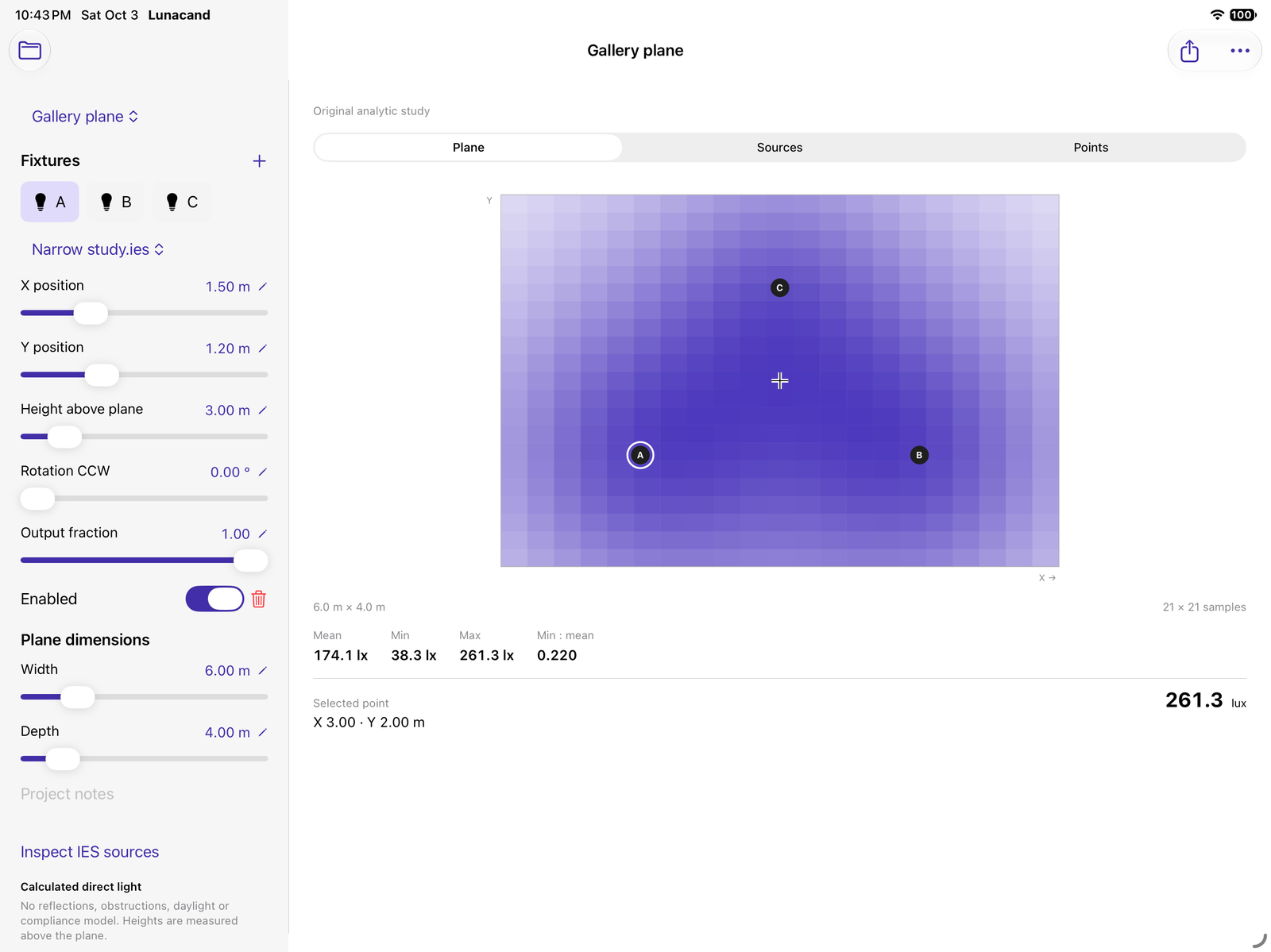
From distribution to placement.
Import a supported IES file through Files. Set each fixture's position, height, rotation and output. Exact numeric entry sits alongside sliders for quick exploration.
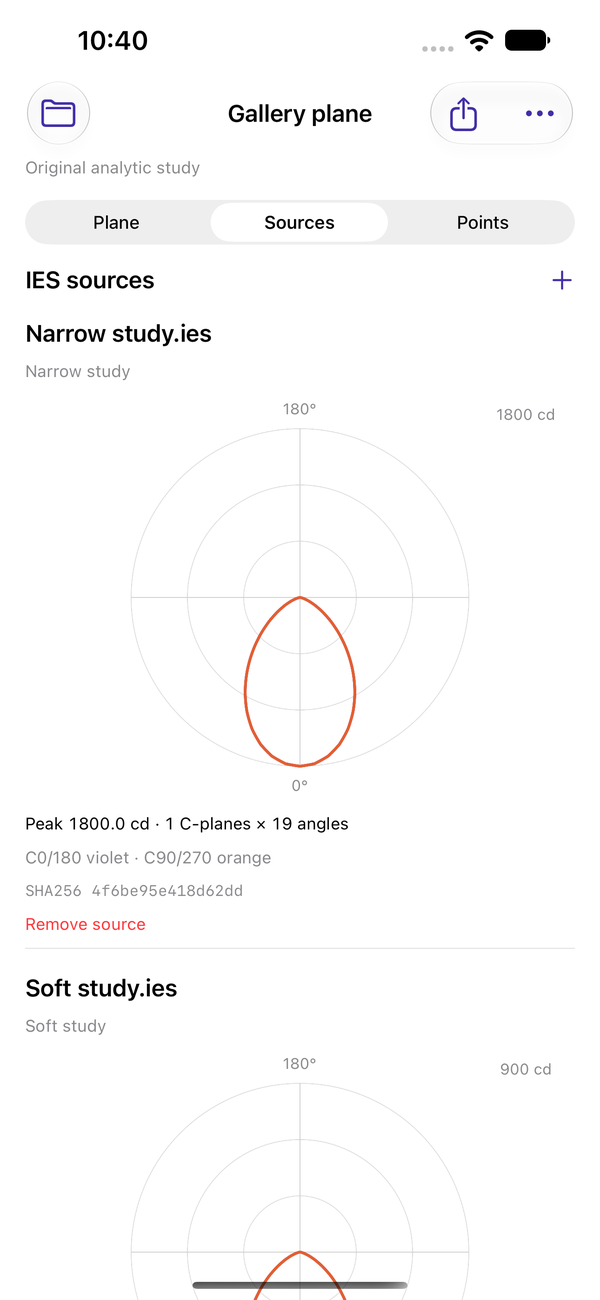
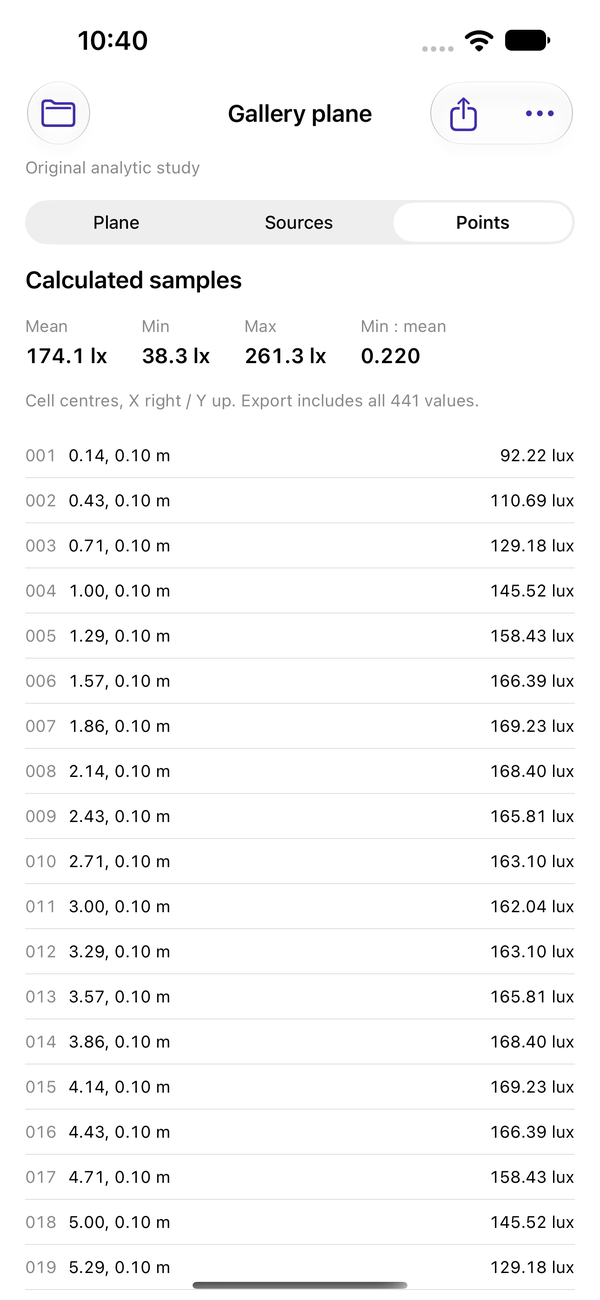
The Sources view exposes polar curves, angular counts and a source fingerprint. The Points view contains all 441 cell-centre values.
Keep a reproducible handoff.
Preview the layout PDF. Share a ZIP with point and fixture CSVs, an SVG plane, byte-exact original IES files, SHA256 checksums and a restorable JSON backup.
Keep up to 20 named plans within a 96 MiB local library. Duplicate a layout to explore an alternative; export backups before deleting local work.
A deliberately specific calculation.
Lunacand models direct-only point sources, straight down, above a horizontal rectangular plane. It uses bilinear angular interpolation and 21 × 21 cell-centre samples. Sampled summaries are not continuous extrema.
It does not model reflections, obstructions or shadows, daylight, tilted aiming, glare/UGR, measured lux or regulatory compliance. Use qualified review and professional tools when those models or certification are required.
Manufacturer files are imported by you. The included learning layout is original synthetic analytic data; it is labelled as a study.
Support
Email maga40@naver.com with your device, iOS version and the step that failed. Include an IES file only if you are permitted and choose to share it.
Supported IES files and limits
UTF-8 IESNA LM-63-1995/2002, Type C, TILT=NONE. Vertical coverage must start at 0 and end at 90 or 180 degrees. Horizontal coverage: a single 0-degree plane, or 0–90/180/360 degrees. Angles must strictly increase; candela values must be finite and nonnegative. Up to 2 MiB and 361 × 721 angles per source.
Each plan holds up to 8 sources and 12 fixtures. Plane width and depth: 0.5–30 metres. Height above plane: 0.5–20 metres. Output fraction: 0–1. Positive rotation is counterclockwise from C0 along +X; Y points up in the plan.
How do I restore a layout?
Save the exported ZIP in Files, extract it and locate Lunacand-Plan.json. In Lunacand use More → Restore JSON backup. This creates a separate restored plan with its source bytes and fixtures; it does not overwrite an existing plan.
Why was an IES file rejected?
The file may use another photometric type, a tilt table, a newer or older LM-63 format, unsupported angular coverage, malformed counts or values, or exceed the stated bounds. The app displays the reason. Rejected files do not replace the current layout.
How are units handled?
Layout positions and height above plane are always metres; computed illuminance is lux. IES luminous dimensions are not used by the point-source model. The IES candela multiplier and ballast factor are applied; the reserved LM-63-1995/2002 field is ignored.
Privacy policy
Effective October 3, 2026. Lunacand is provided by Gobling Company.
We do not collect, receive, sell or track your app data. Lunacand has no developer upload service, analytics, advertising SDK or account. The app makes no network requests; calculations run on your device.
Files you deliberately select are copied into app storage to retain source bytes and plans. Imported originals are not modified. System Files providers and iOS device backups may retain copies according to your own settings and their policies.
You can remove sources or fixtures, delete plans and remove the app. Removing the app deletes its local library. Keep important original files and exported backups separately.
Exports include project notes, fixture positions and source lighting data. Only recipients or destinations you choose through the system share sheet receive them. Export caches may be cleared by iOS.
If you contact support, we receive the message and attachments you choose to send and use them to answer your request. Apple handles purchases under its own privacy policy. Contact: maga40@naver.com.
Use of the tool
Retain permission to use and share imported photometric files. Lunacand provides calculation aids, not measurements, certification or a complete lighting design service. Review the stated model and assumptions for every exported layout.