 Rillbank
SF2 Samples
Your bank.
Its original samples.
Listen inside an owned SoundFont. Choose the recordings you need and take their original PCM audio into your next project.
$4.99 USD · Buy once · iPhone & iPad
App Store release in preparation. Local processing. No subscription or account. Regional prices may differ.
Support & format limits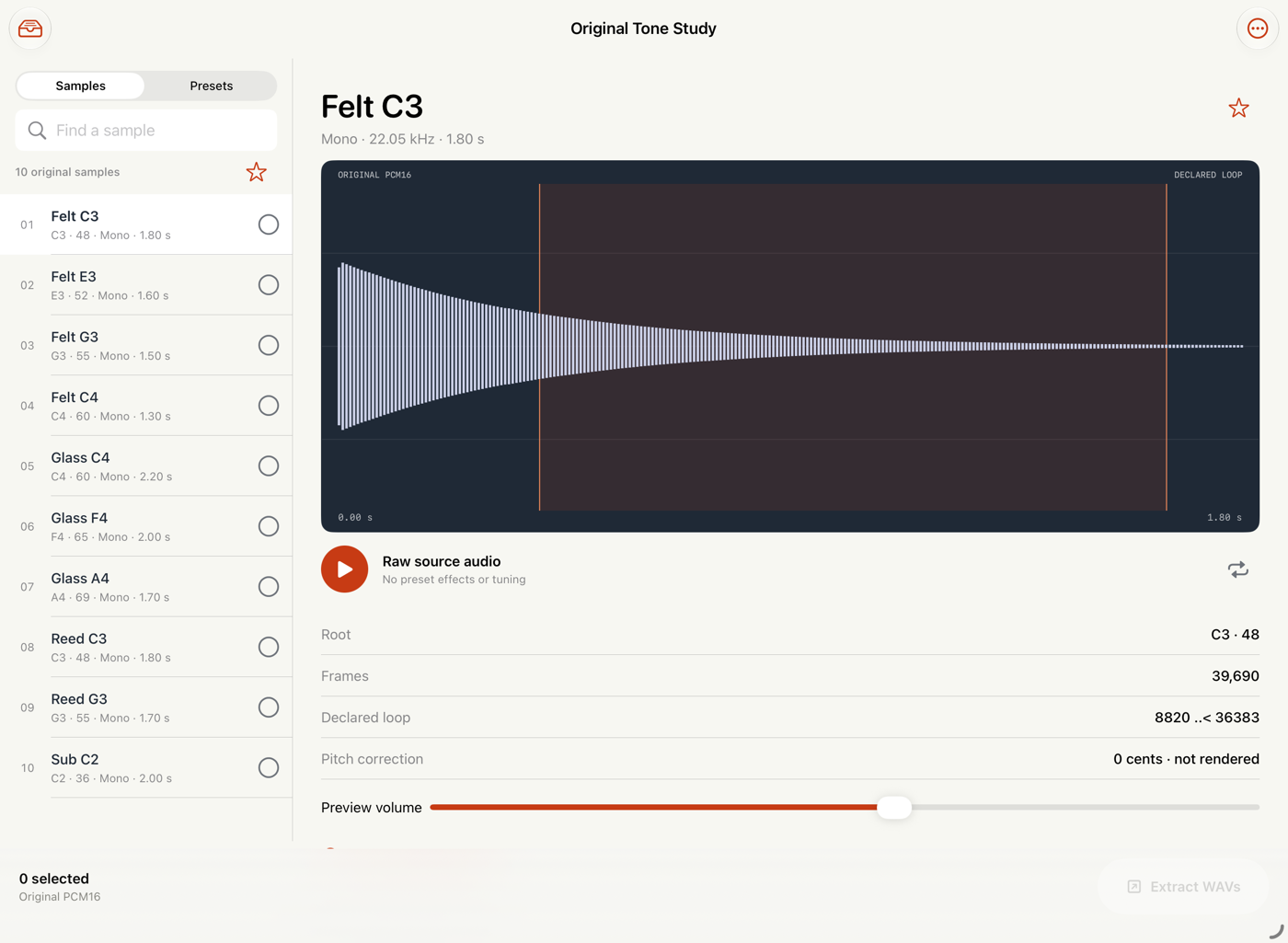
A recording, not a rendered preset.
Browse sample headers and the presets that reference them. Inspect the waveform, declared loop and source metadata. Audition at the recorded rate, or repeat the declared loop span.
Search names, star useful sounds and save notes. Choices and the unchanged source stay in the local library.
Real WAV files. A complete handoff.
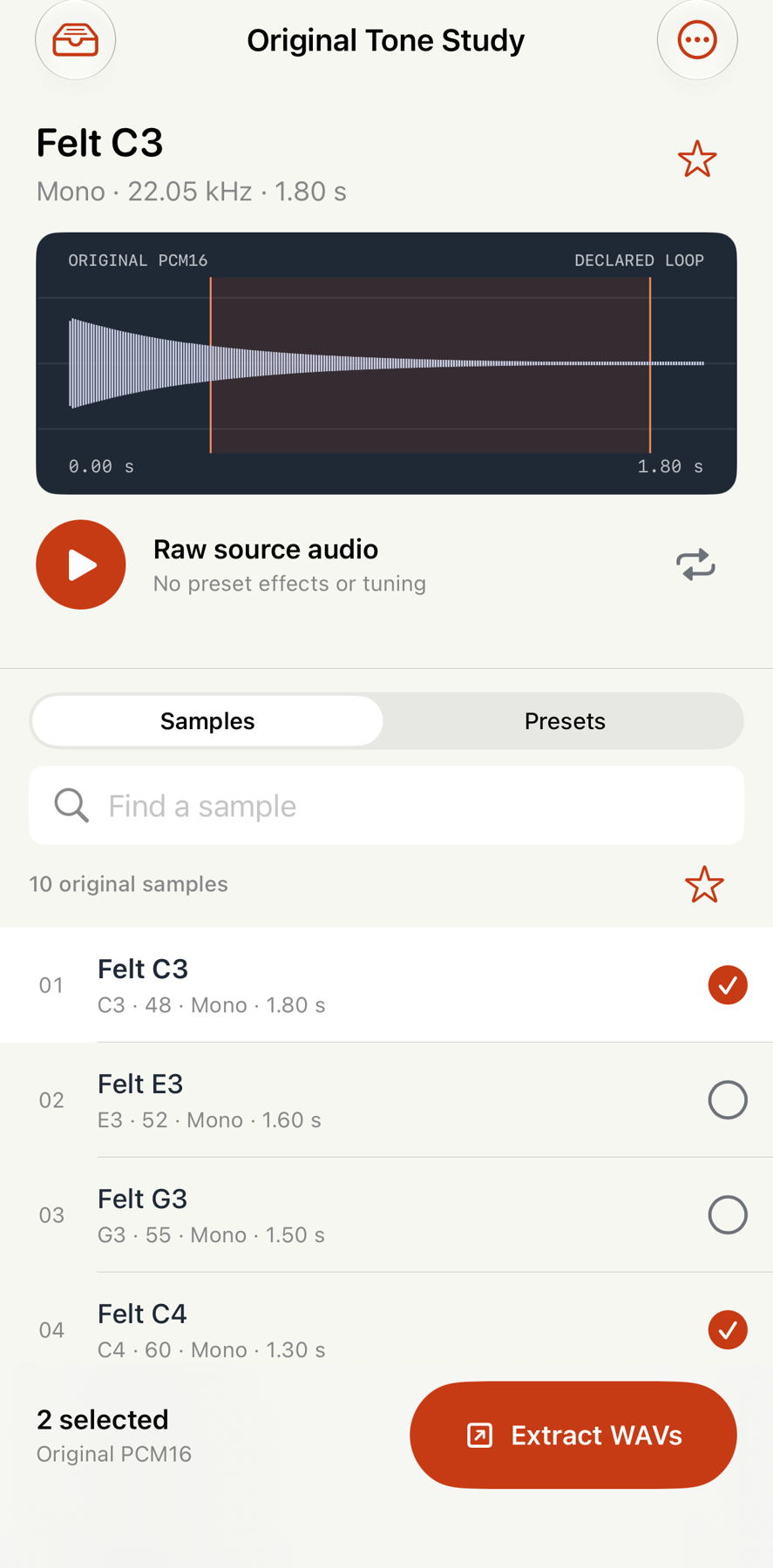
Selected samples become mono PCM16 or PCM24 WAVs without resampling, gain changes or tuning. Valid declared loops and roots are written as WAV smpl markers.
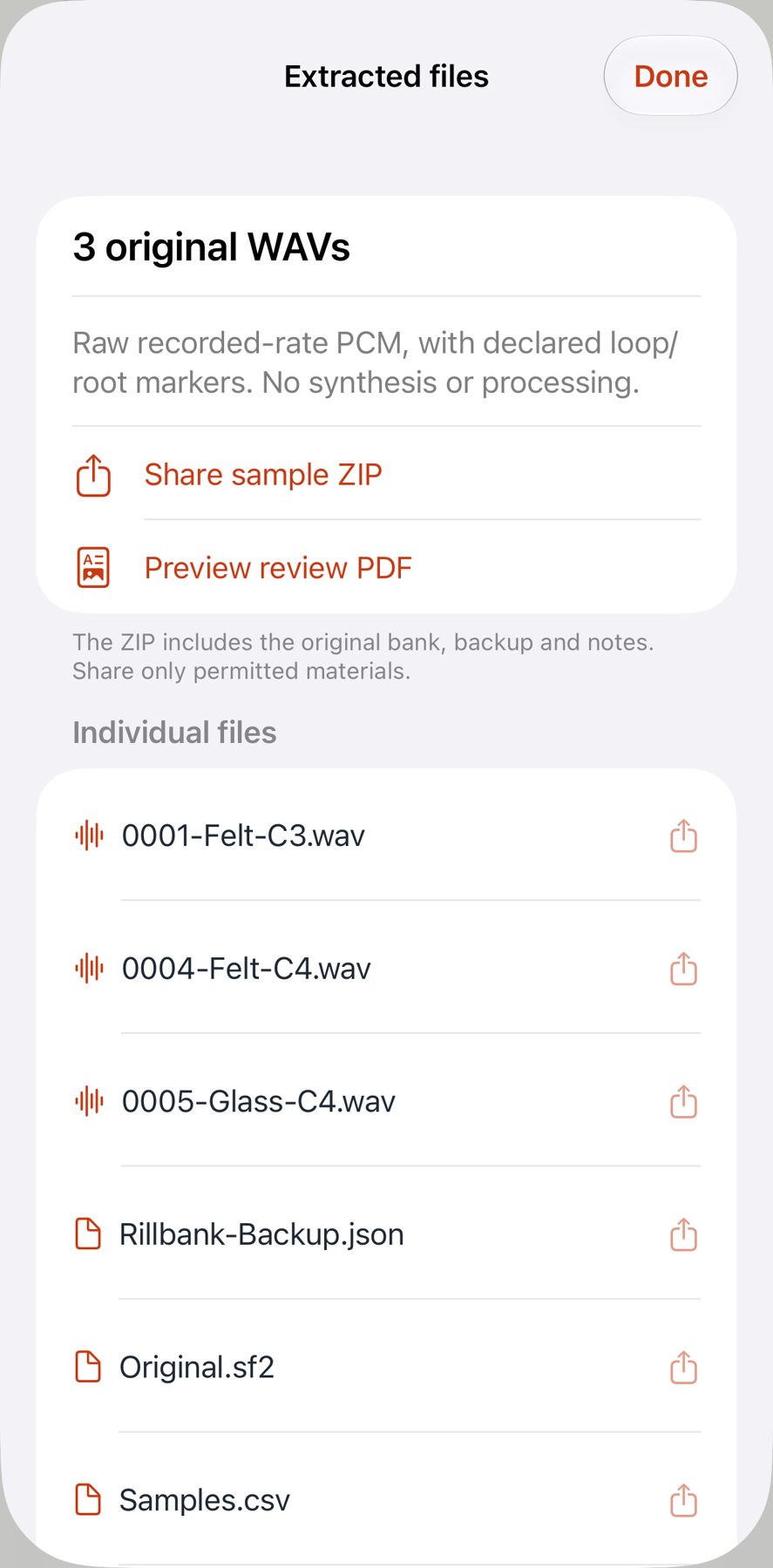
Share individual files or a ZIP with complete CSV indexes, PDF review, original SF2, restorable JSON backup and SHA256 checksums.
Support & compatibility
Email maga40@naver.com with Rillbank, your iOS version and the displayed error. Do not send proprietary sound banks unless you have permission.
- Uncompressed SoundFont 2.00–2.04, embedded signed PCM16 or valid SF2 2.04 sm24 PCM24. Invalid sm24 falls back to original PCM16 with a warning.
- Up to 64 MiB per source, 512 samples, 256 presets, 1,024 instruments and 16,384 zones per hierarchy. Printable ASCII object names; source rates 400–192,000 Hz.
- 12 local banks /128 MiB of originals. Restore source-bearing JSON backups up to 96 MiB. Export a backup before deleting banks or uninstalling.
- Linked stereo headers remain separate mono WAVs. Channel/link information is retained in the CSV. Host support for loop/root markers varies.
- Membership is structural reference information. Rillbank does not render preset envelopes, filters, modulation, tuning, pan or generator offsets. Pitch correction stays in CSV. A sample's declared loop may be disabled by its original preset.
- No SF3/compressed banks, ROM data, SFZ/DLS, playable keyboard, MIDI, AUv3, recording, effects, bank editing or sample processing.
- Import from Files; tap the sample name to focus and its circle to select. Use Extract WAVs, then Share sample ZIP or an individual file. To restore, import the exported Rillbank-Backup.json through Bank actions.
Use only sources you own or have permission to extract and share. The optional tone study is original analytic audio by Gobling Company; no third-party instrument bank is included.
Privacy policy
Effective 4 October 2026. Rillbank does not collect or transmit personal data. The app has no account, analytics, advertising, tracking or app network requests. Banks, selections, stars and notes remain in the app's local storage.
Files import and the system share sheet are initiated by you. Exported ZIPs and JSON backups include your original SoundFont and notes. Their recipients and the cloud/file provider you choose may handle that data under their own policies. iOS device backups may include app data according to your settings.
Deleting a bank removes its local record and source. Uninstalling removes the app library; exported copies remain wherever you saved them. No server copy exists for us to recover. Email support messages are handled only to answer your request. Product/support web hosting receives ordinary web requests separately from the app; this page has no analytics or advertising script.
Use & purchase
Rillbank is an audio asset extraction tool. You remain responsible for source licenses and shared content. A single App Store purchase unlocks the described features; no subscription or in-app purchase. Purchases, regional pricing and refunds are handled by Apple. Keep original files and backups. Verify exported files in your target audio software before deleting sources.