9-SLICE ASSETS / IPHONE + IPAD
One frame.
Room to grow.
Turn an owned PNG into reusable interface assets. Set the fixed corners, test real sizes and take the files into your next project.
$3.99 once · no subscription
App Store release pending. Local prices may vary. No engine plug-in or verified third-party runtime compatibility.
See the working process ↓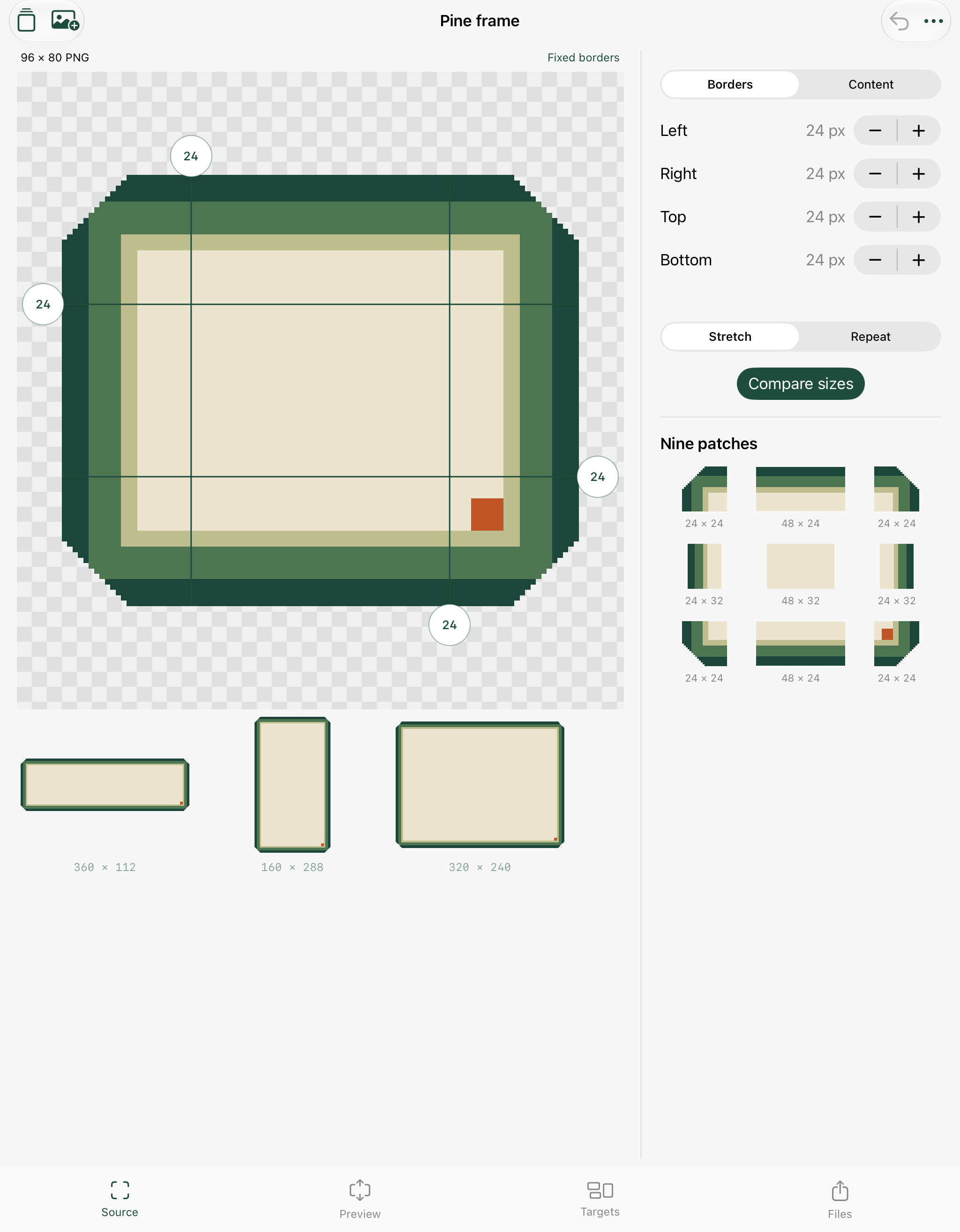 Actual iPad Release screen. Original editable pine study.
Keep the corners
Drag four guides or choose exact integer pixels. Fixed borders and content insets are separate.
Inspect real sizes
Stretch or repeat the middle regions. Compare ordinary scaling, inspect RGBA pixels and save up to six targets.
Share the work
Original PNG, nine patches, target PNGs, marked .9.png, coordinates, parameter JSON, full backup and PDF proof in a ZIP.
A practical PNG workshop
- Import your PNG through Files, or add one of the original editable studies.
- Define fixed borders and content bounds. The middle and every target must leave at least one pixel.
- Compare target previews with whole-image scaling. Stretch uses nearest samples; Repeat tiles the middle, including partial final tiles.
- Save named dimensions, notes and assets locally. Duplicate, rename, delete and undo edits.
- Generate a package. Preview the real PDF, share individual files or share the complete ZIP. Import a full JSON backup to restore original pixels and settings.
24 local assets / 48MB original PNGs. Static non-interlaced 8-bit gray, RGB, gray-alpha or RGBA PNG, 8–1024px per side, 16MB maximum. Target outputs 32–2048px per side. Palette, 16-bit, animated PNG and tRNS transparency are unsupported. Stored channel bytes are read without gamma/ICC conversion; originals stay unchanged and generated PNGs omit source metadata. .9.png is an uncompiled single-run stretch marker format even when Repeat is selected. Parameter JSON is framework-neutral documentation. Check output in your runtime.
Support
Email maga40@naver.com with your Rimvara version, device/iOS version and the action that failed. Send an example PNG only if you are comfortable sharing it and hold the necessary rights.
- If import is rejected, check dimensions, encoded file size, color type, bit depth and interlacing. Export a supported static PNG from your artwork tool.
- If a target is too small, increase its size or reduce the fixed borders. Both axes must fit the fixed edges plus a center pixel.
- The full backup restores original bytes, notes, border/content settings and target sizes. Recipe JSON alone does not include the source image.
- Back up before deleting assets or uninstalling. The app starts empty, with optional studies; there is no developer-hosted sync or account recovery.
- If Library.json cannot be read, it remains in the app's Files folder. Recover or back up the file before replacing it; the app blocks further library saves to protect it.
Privacy policy
Effective October 2, 2026. Gobling Company does not collect data through Rimvara. The app has no account, advertising, tracking, analytics or networking SDK. Imported PNGs, notes, asset settings and generated files are stored in the app's local container.
Files import and the system share sheet are user initiated. If you choose a cloud provider, AirDrop or another app, that service's privacy practices apply. External support links open your browser. This company website is hosted on Vercel and receives ordinary HTTP requests; this is separate from app data collection.
Remove assets in the library or remove local files through Files. Uninstalling normally removes the app's container; any backups or exports you placed elsewhere remain there. Device backups are managed by Apple and your settings. Emailing support discloses the information you choose to send. Contact maga40@naver.com for privacy questions.
Terms of use
Use only artwork you own or have permission to process. Rimvara is a local image preparation tool. You retain rights to your imported work. Review all outputs before production use, including target dimensions, transparency, content placement and compatibility with the runtime you use.
Purchase and refund terms follow Apple's App Store policies and applicable law. Rimvara includes no subscription or in-app purchase. Original studies are included for learning and may be used in your own projects. Third-party engine integration, smooth resampling, atlas packing, background removal and cloud synchronization are not provided.