
A complete stem delivery.
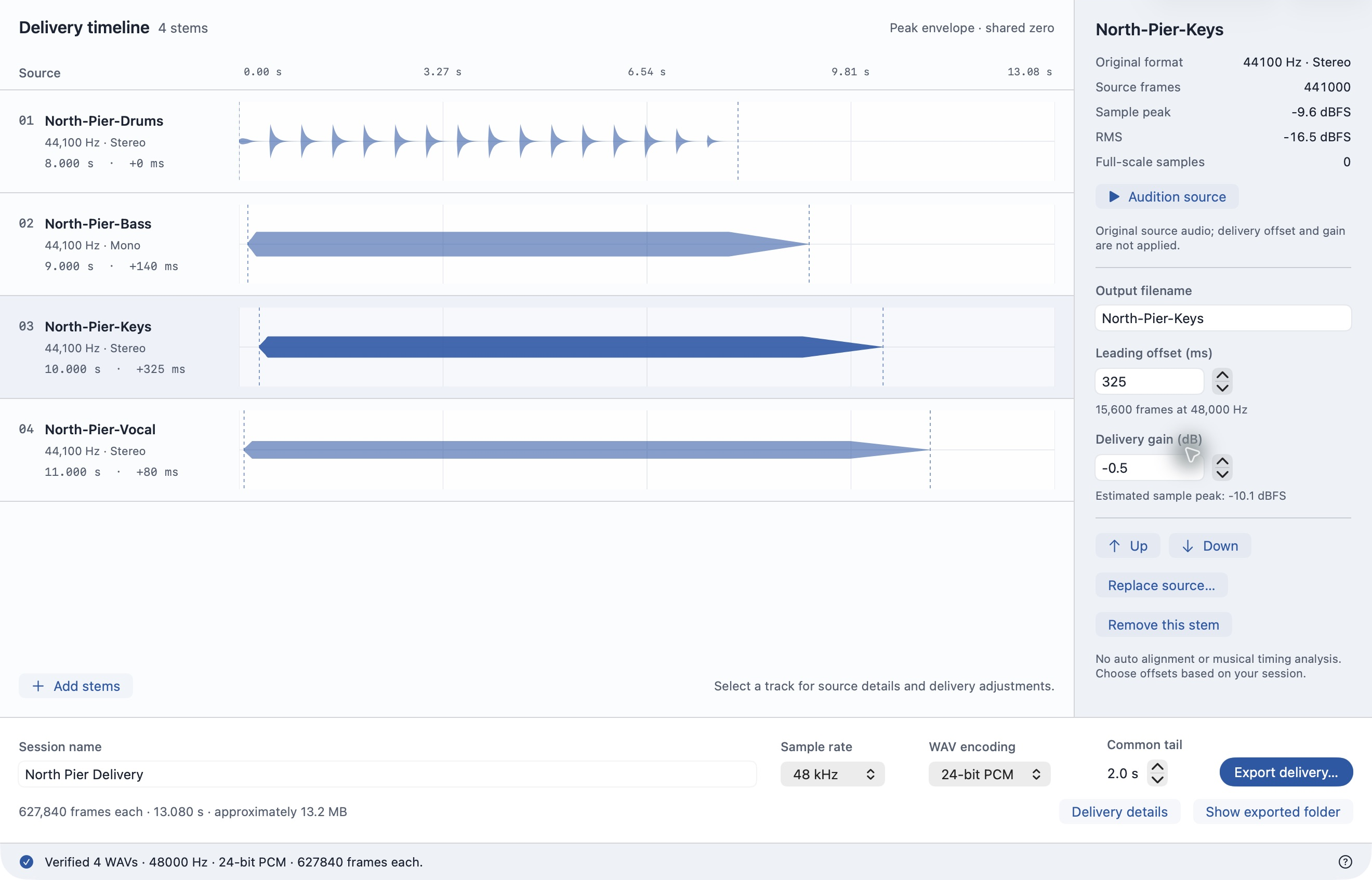
Bring already-separated tracks to one sample rate and exact timeline length. Inspect real source envelopes, choose offsets and gain, and keep the settings for the next handoff.
For macOS 14 or later. Paid once through the App Store. Review submission in progress; availability depends on Apple approval.
What you can deliver
- Matched WAV files
- 44.1, 48 or 96 kHz; 24-bit PCM or 32-bit float; mono or stereo retained. Sources with differing rates are converted.
- Explicit timeline
- Manual leading offsets and a common tail produce the same exact sample count for every track. This does not find musical alignment automatically.
- Reusable settings
- .stemrail files save source references, names, offsets, gain and output format. They do not contain copies of your audio. Missing sources can be replaced.
- Verification records
- Delivery.csv, Verification.json and Read Me.txt accompany your WAVs. Each rendered file is reopened to check its format and length; source and output SHA-256 hashes are recorded.
Limits, clearly stated
Two to 32 already-separated mono or stereo inputs. WAV, AIFF, M4A and MP3 depend on macOS decoding support. Source rates: 8–192 kHz. Maximum delivery: 60 minutes. Leading offsets: 0–60 seconds. Common tail: 0–10 seconds. PCM export rejects samples above full scale; float export retains headroom. No stem separation, recording, mixing, automatic timing or loudness mastering. Verification is a file check, not a guarantee of musical correctness or downstream DAW compatibility.
Support
Email maga40@naver.com with your macOS version and the steps that caused a problem. You can describe input formats without sending private audio.
No login, advertising, analytics or cloud audio processing. Read the privacy policy.