Stillsplice / Android
Give your stills
their timing.
Bring an image sequence. Set the holds. Make an MP4 and GIF you can take into your next project.
View on Google PlayOne-time purchase · No subscription

Build the rhythm
A pause can change
the whole loop.
Hold a drawing for two frames, linger on the next for five. Reorder your stills and use the previous-still overlay to compare poses.
- Individual holds from 1 to 240 frames
- Playback at 6–30 frames per second
- Forward, reverse and ping-pong order
- Square, landscape and portrait canvases
Ready to carry forward
The loop and
the timing sheet.
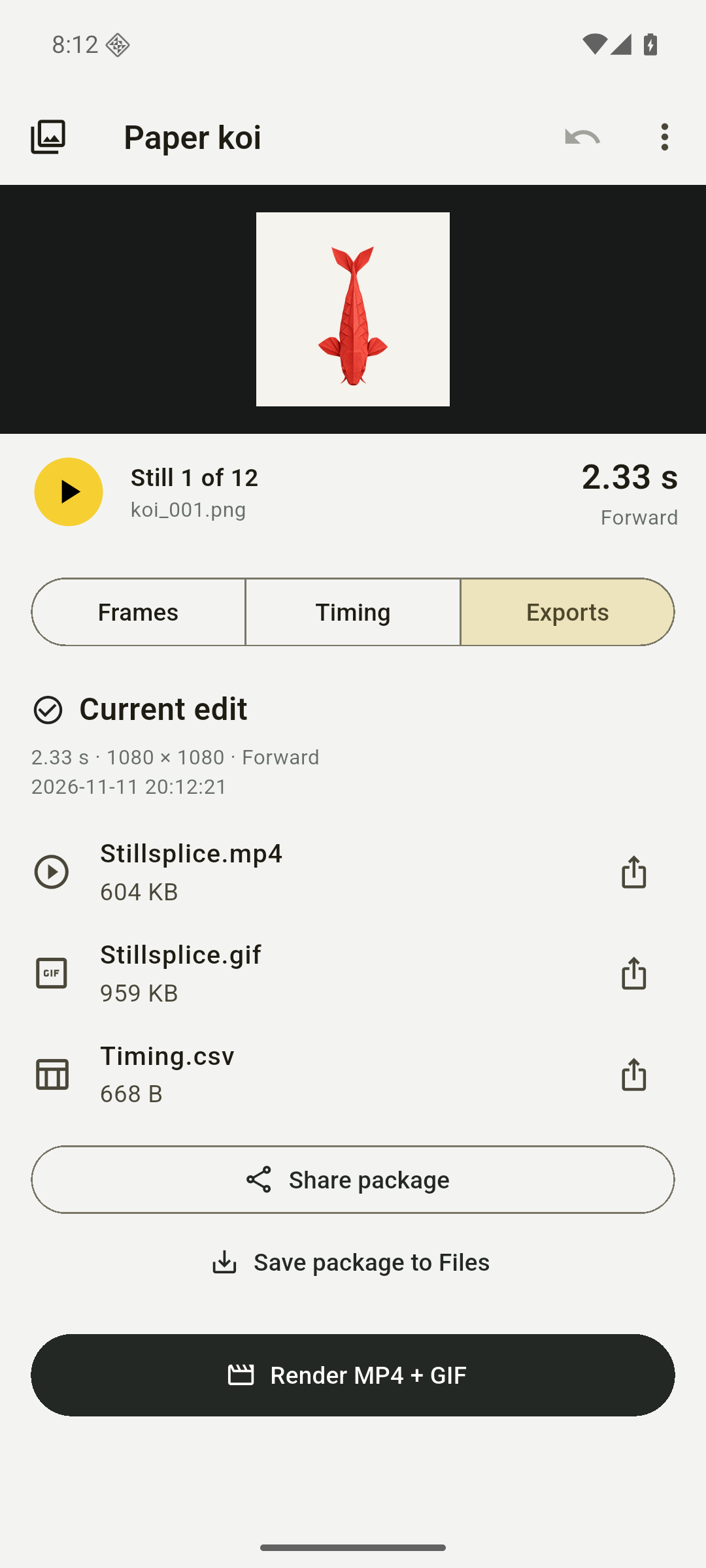
Save one package with the animation files and a record of how the sequence was timed.
- Stillsplice.mp4
- A silent movie built from your selected sequence and canvas.
- Stillsplice.gif
- An animated GIF of the same sequence.
- Timing.csv
- Source names, holds, start and end times, frame rate, and direction.
Actual output from the Paper koi sample: 12 stills, 28 frames at 12 fps. The separate hold-editing screenshot shows a different edit.
Before you start
What do I bring into Stillsplice?
Existing still images from Android Files. You can use up to 500 images in a sequence; rendering requires at least two. Image format support depends on what your Android device can decode.
Does it take photos or add sound?
Stillsplice assembles images you already have. It does not capture photos, import a movie, generate images, or add an audio track. MP4 exports are silent.
Where are my images and projects saved?
Source copies, frame holds, settings and export history stay on your device. You choose when to save or share output. Deleting a sequence removes its local copies and exports, so save important work first.
Is there an account or subscription?
No. Stillsplice is a paid app with no account, ads, cloud upload, or subscription. Check Google Play for your local price and device compatibility.
Make the next pose count.
View on Google Play