Your photo.
Every look.
Audition your 3D .cube LUTs on the same still image. Keep the source beside the alternatives, compare a selected look and choose its strength.
Native iPhone and iPad. One upfront purchase includes every feature, with no account, subscription or in-app purchase.
Take the results with you.
Render all looks or one selected LUT across your session. Share actual PNGs, normalized source copies, original LUT files, a PDF proof book, CSV manifest and setup documentation in one ZIP.
App Store submission in progress. The image shows our optional original ceramics sample processed by the app.
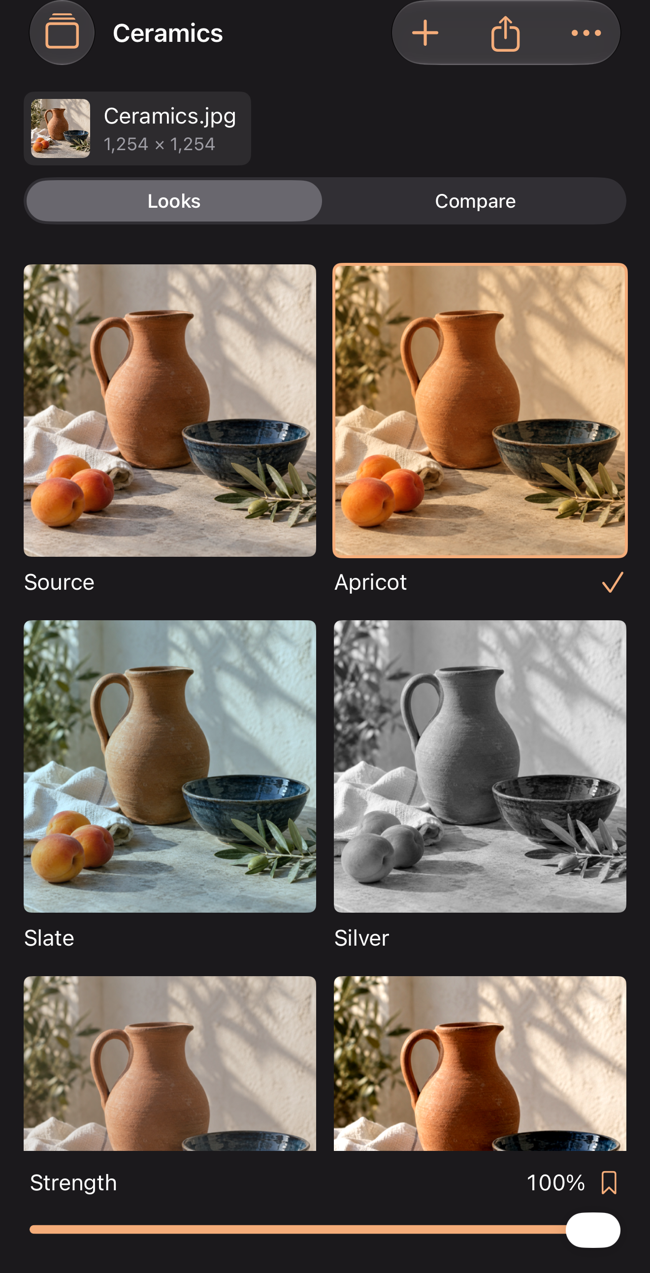
A repeatable session
Import JPEG, PNG or HEIC photos and 3D .cube LUTs. Save names, notes, source choice, LUT choice and strength locally. Keep up to 12 sessions, 12 sources and 8 LUTs per session, and 20 named setup presets per session. iPad displays the look grid and selected comparison side by side.
Working copies, clearly defined
Images are oriented, flattened onto white, normalized to 8-bit sRGB and reduced to a longest edge of up to 2048 pixels. Originals and camera metadata are not retained; keep your originals separately. Import limit: 60 MiB / 100 megapixels per still, 32 megapixels per session and 400 MiB for the working library. Exports require additional free storage.
Supports red-fastest 3D .cube tables of size 2–65, with DOMAIN_MIN/MAX or LUT_3D_INPUT_RANGE. Trilinear interpolation, adjustable strength and clamped output. Table values and domain endpoints must be finite and between −16 and 16. The LUT must expect display-referred sRGB input. No RAW, video, HDR, camera-log conversion, 1D shapers, LUT authoring, ICC soft proof or calibrated color guarantee. PDF images are fitted previews. Session.json documents the setup; ZIP is not an in-app restore format.
Support
Email maga40@naver.com with the app version, file type and steps. Do not send private images or LUTs unless you want to share them. Please remove sensitive details from exported packages.
For invalid LUT errors, check the file is a supported 3D .cube table and includes the exact number of finite RGB rows. To free library storage, remove sources, LUTs or saved sessions. If export fails, free device space and retry. Saved sessions can be removed with a confirmed swipe action.
Privacy policy
Effective October 2, 2026. Gobling Company does not collect data through Tintava. The app has no developer-operated server, network code, advertising, analytics SDK, tracking or account. Image and LUT processing occurs on your device.
You choose specific photos using the system picker or files using the system Files picker. Working image copies, LUT files, names, notes and presets remain in the app’s local storage. No broad photo-library access is requested.
Exporting and sharing is your choice. ZIP packages include normalized source images, chosen LUT files, session names, notes and settings. Native sharing and device backups follow the selected service and device settings. Gobling Company does not receive those files automatically.
Remove saved sessions to delete their local files and exports, or uninstall the app. Copies you shared or backed up are managed in those destinations. Support email is handled only when you contact us; email is separate from app data collection. Contact maga40@naver.com for privacy requests.