 Vantype
A photograph.
A printable negative.
Prepare a matched batch of grayscale transparency files. Tune a reusable curve, choose the physical size, then keep the PNGs and print PDFs.
One purchase · US $4.99
Native iPhone and iPad.
No account or subscription.
App Store release pending. Availability begins after Apple's approval.
From photo to film.
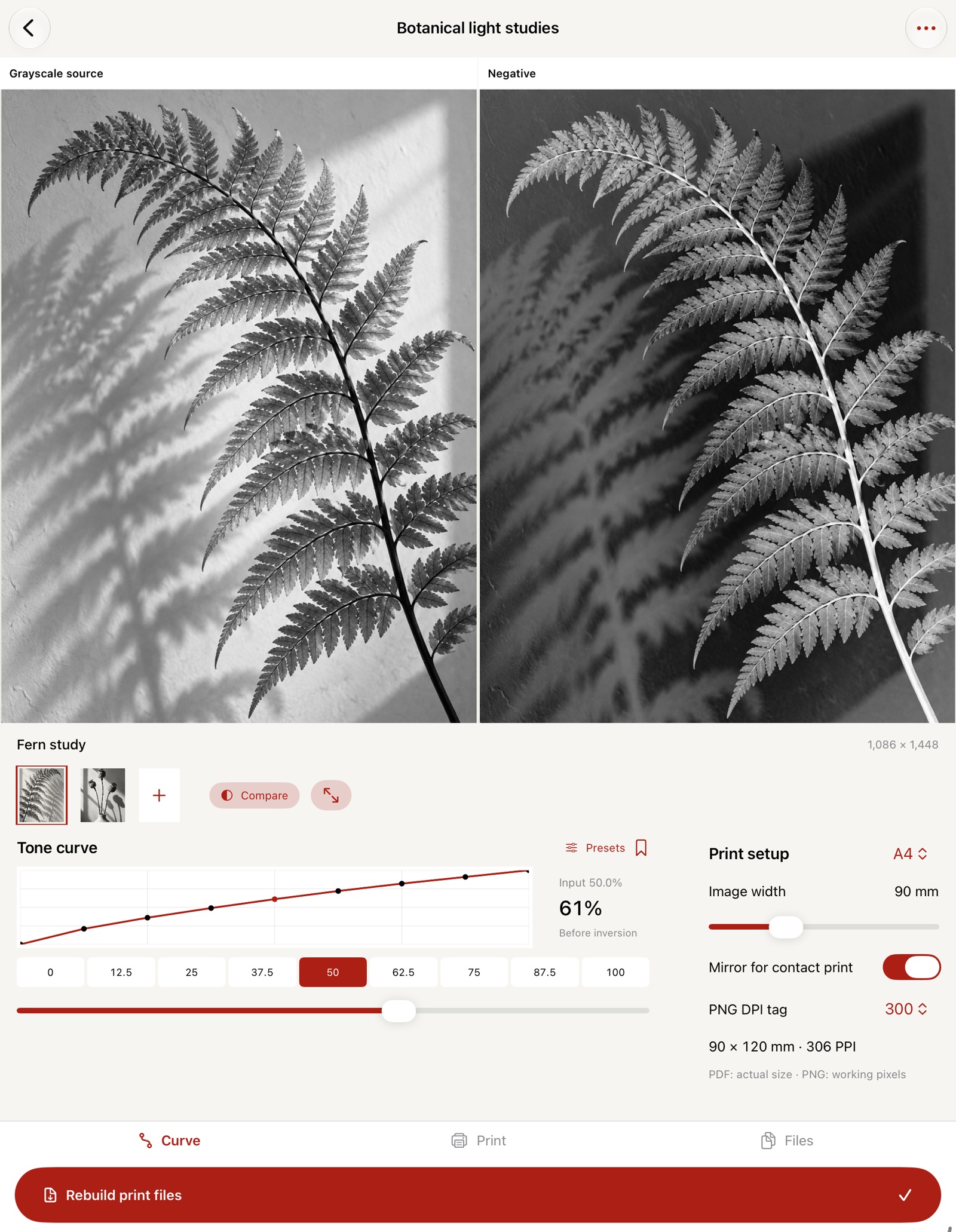
- Import up to six photos from Files or Photos.
- Adjust nine ordered tone anchors. Save a curve to reuse.
- Choose paper, width and mirroring. Inspect PPI and fit.
- Prepare files. Preview a PDF or share the complete ZIP.
Files you can use.
Original-working-resolution PNGs
Oriented grayscale negatives, optionally mirrored. Working copies keep up to 4096 pixels on the longest edge. A DPI tag does not manufacture detail or resample pixels.
Actual-size print PDFs
One negative per sheet with registration crosses, dimensions and a 50 mm ruler. A4, Letter or A3. Print at 100% / Actual size; turn off Fit to page and verify the ruler. Hardware printer margins still apply.
A record of the batch
A real side-by-side proof book, linear 21-step reference target, CSV print dimensions, JSON settings and instructions accompany the negatives in one ZIP. JSON is a settings record, not a project backup.
Before you print
Does Vantype calibrate my cyanotype process?
No. The curve is a user-adjustable tonal map, not printer, ink, chemistry, UV or exposure calibration. The screen proof and 21-step target are references for a physical test. Test your own printer, transparency and materials.
What image files and sizes are supported?
Single still images iOS can decode, up to 60 MB and 60 megapixels. Oriented working copies are flattened onto white, converted to 8-bit sRGB and capped at 4096 pixels on their longest edge. No RAW/DNG, animated images, camera scan, color separation, halftones or direct hardware printer connection. Grayscale uses weighted encoded-sRGB luma, a piecewise-linear tone curve and inversion.
What is retained?
Up to 12 local batches, six photos per batch and 20 curves. Photos, notes, settings and current print files persist. Edits invalidate earlier delivery files; deleting a batch removes its retained photos and exports. Original EXIF is not retained. Keep originals and important exports separately before deleting or uninstalling.
Support
Email maga40@naver.com with your device, iOS version and the steps involved. Attach only files you choose to share and have permission to reproduce.
For size issues, reduce Image width or choose a larger paper. For low PPI, use a higher-resolution source or print smaller. For tone issues, physically test a transparency and adjust your curve.
Privacy policy
Updated October 2, 2026. Gobling Company does not collect personal data through Vantype. There is no account, developer-server processing, advertising, tracking, analytics or cloud synchronization.
Photos are selected using Apple's native pickers; the app does not scan your full library or request a camera. Chosen photos, curves and print files are retained in the local app container. Delete a photo from its thumbnail menu or a batch from its actions menu. Curves can be deleted from Saved curves.
User-initiated sharing transfers selected exports through Apple's share sheet. The destination's privacy practices apply. External support and website links open only when selected. Apple may process App Store purchase information under its own policy. Contact maga40@naver.com for privacy questions.
Terms
Use photographs you have permission to process and reproduce. Vantype provides file preparation and user-controlled tone settings. It does not guarantee physical print quality, exposure or compatibility with any printer or photographic process. Keep backups of important originals and exports. App Store purchases are governed by Apple's applicable terms and standard licence.