01
Audit the file
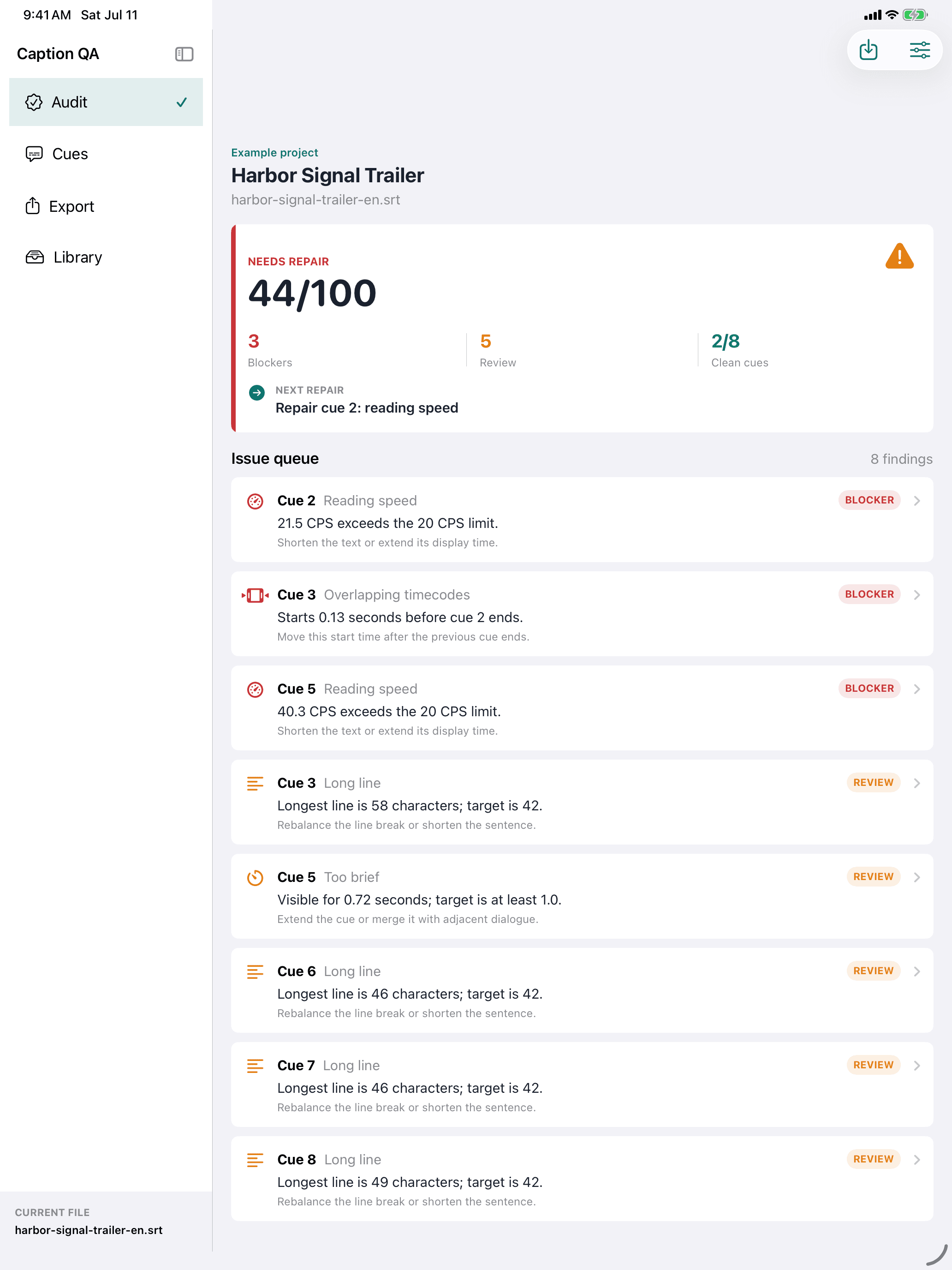
Open an SRT or WebVTT file and see exact blockers, review items, clean cues, and the next repair in one local audit.

Local subtitle delivery QA
SRT / WebVTT · iPhone and iPad
Find overlaps, reading-speed issues, timing errors, and line-layout blockers before a subtitle file reaches delivery.
Paid upfront · No subscription · No ads · No cloud processing
A delivery-focused workflow
01
Open an SRT or WebVTT file and see exact blockers, review items, clean cues, and the next repair in one local audit.
02
Edit cue text and timecodes while checking duration and reading speed before the file leaves your device.
03
Export a checked SRT or WebVTT file with PDF, CSV, and Markdown QA reports for a concrete handoff.
Real app screens
Every image below comes from the working app with a fictional example subtitle project. No private user files or generated UI mockups are used.
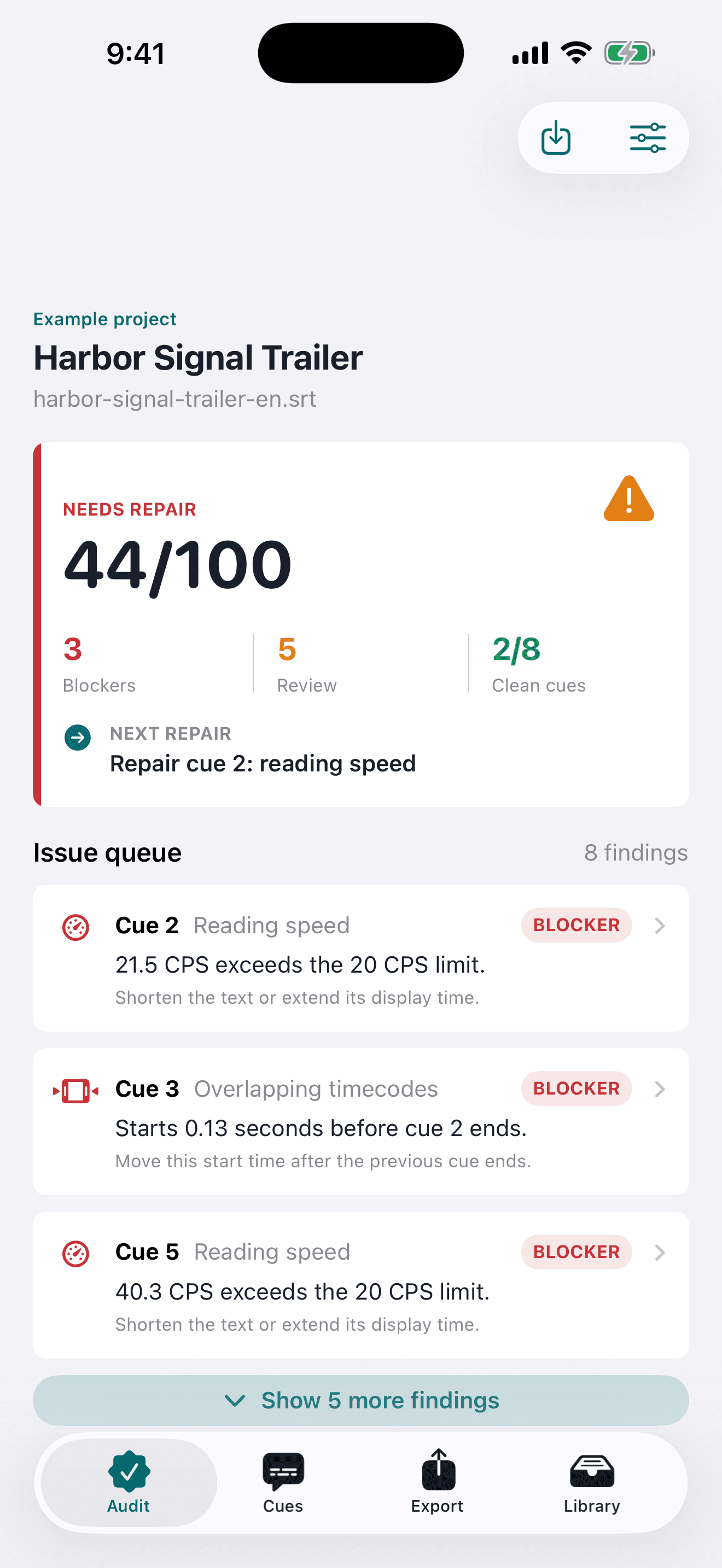
Readiness, affected cues, and the next repair stay visible.
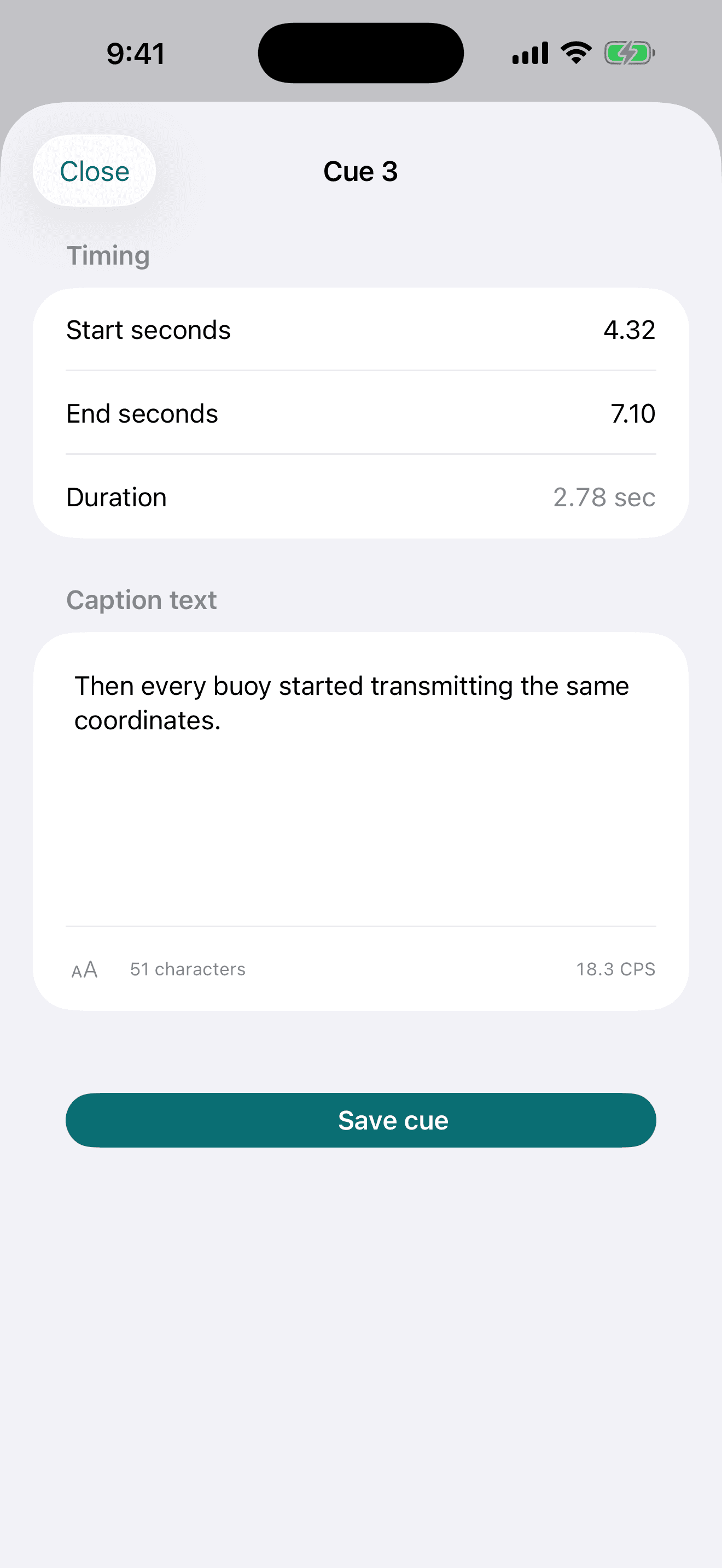
Adjust text and timing with the relevant quality context nearby.
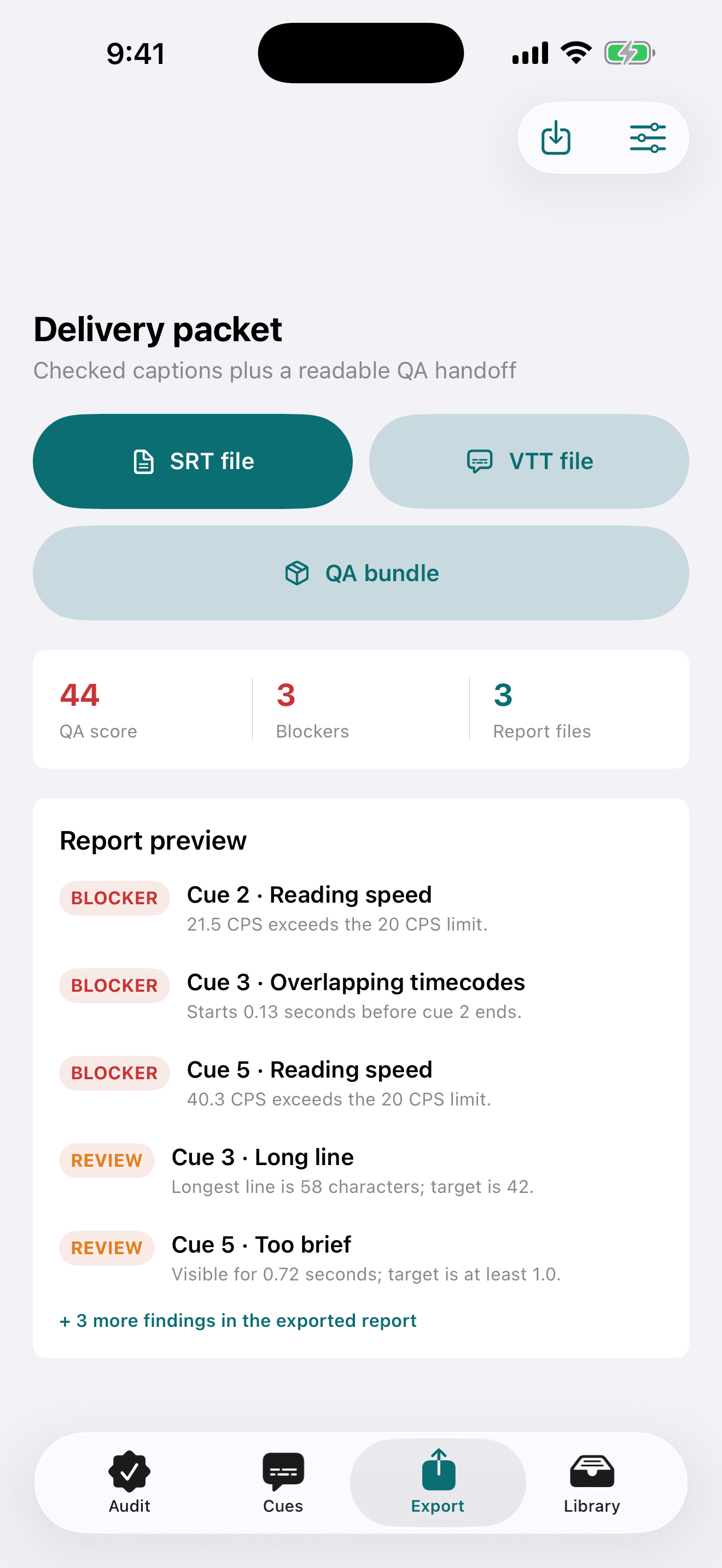
Create subtitle files and practical QA reports from the reviewed project.
Inspect the real output
These four files were generated by the same exporter used in the app from the fictional Harbor Signal Trailer project. They contain no customer or developer data.
Fictional production sample. Findings are practical review aids, not a certification of platform or accessibility compliance.
Local by design
There is no account, analytics SDK, advertising SDK, cloud sync, transcription service, or AI processing backend. You choose the input file and every export destination.
Read the privacy policyQuestions before delivery
Caption QA: SRT Checker imports SRT and WebVTT subtitle files. It can also export a checked SRT or WebVTT file after review and repair.
No. Subtitle text, timing, edits, findings, and saved projects remain on the device unless the user deliberately exports a file through Apple's share sheet.
The local audit checks overlapping or invalid timing, empty text, reading speed, line length, line count, short or long duration, tight gaps, and duplicate text using adjustable rules.
The app can create a checked SRT or WebVTT file plus PDF, CSV, and Markdown QA reports for review records and delivery handoff.
Yes. This page includes a downloadable SRT file and the matching PDF, CSV, and Markdown reports generated by the app's exporter from a fictional subtitle project.
No. Caption QA: SRT Checker is designed as a paid-upfront local utility with no subscription, account, advertising, transcription service, or cloud AI processing.
No. Findings are practical review aids based on adjustable rules. They do not certify every broadcaster, platform, language, or accessibility standard.
Caption QA: SRT Checker
Planned App Store price: US$3.99, paid upfront.