ClipCue Audio · Android
Split audio into named clips.
Keep the parts you need from a recording. Export M4A clips with a cue sheet that keeps every source time clear.
View on Google PlayOne-time purchase · No subscription
See what comes with an export ↓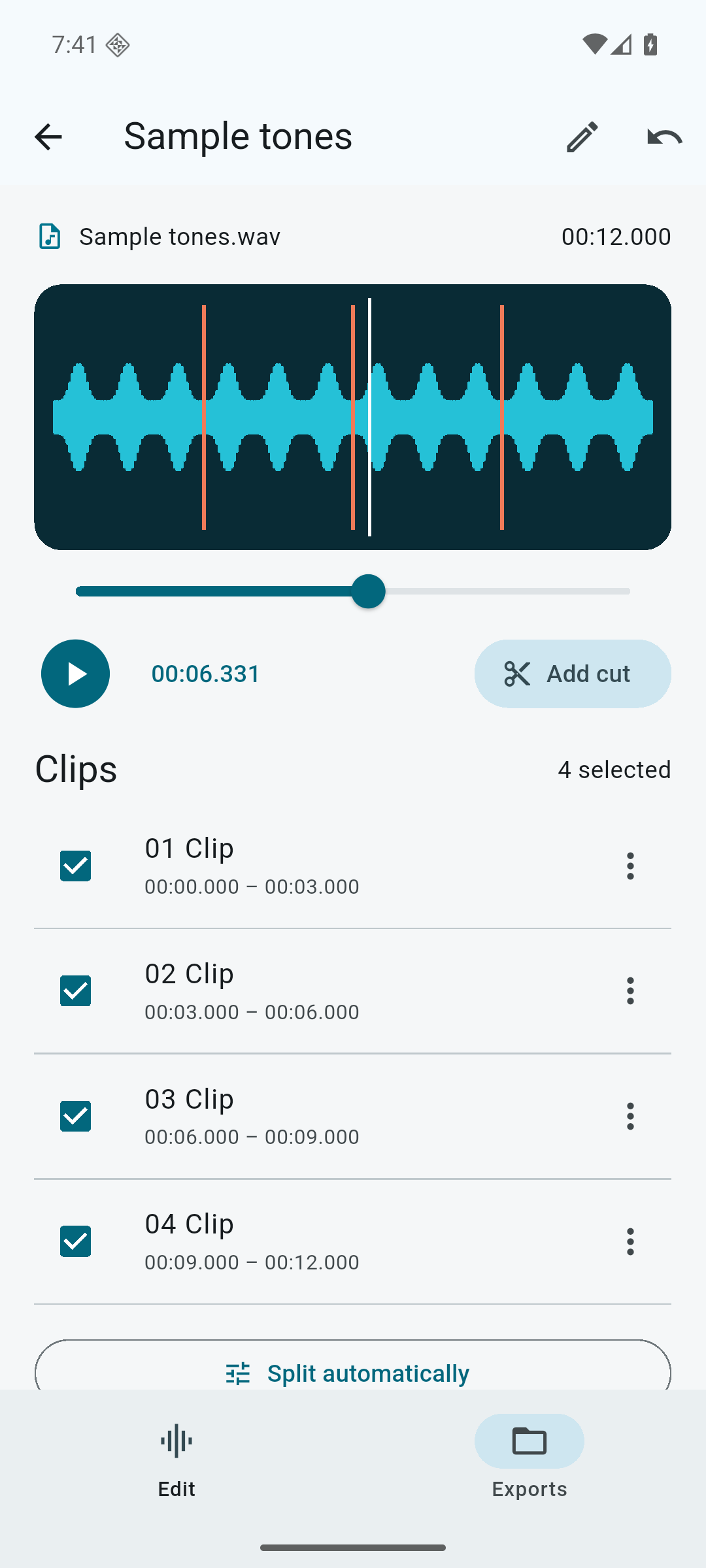
From recording to handoff
Cut once. Keep the context.
Choose a recording
Import an audio file from Android Files and keep a working copy on your device.
Make the clips yours
Add cuts at exact times. Rename and select clips, or split by interval or equal parts.
Review and export
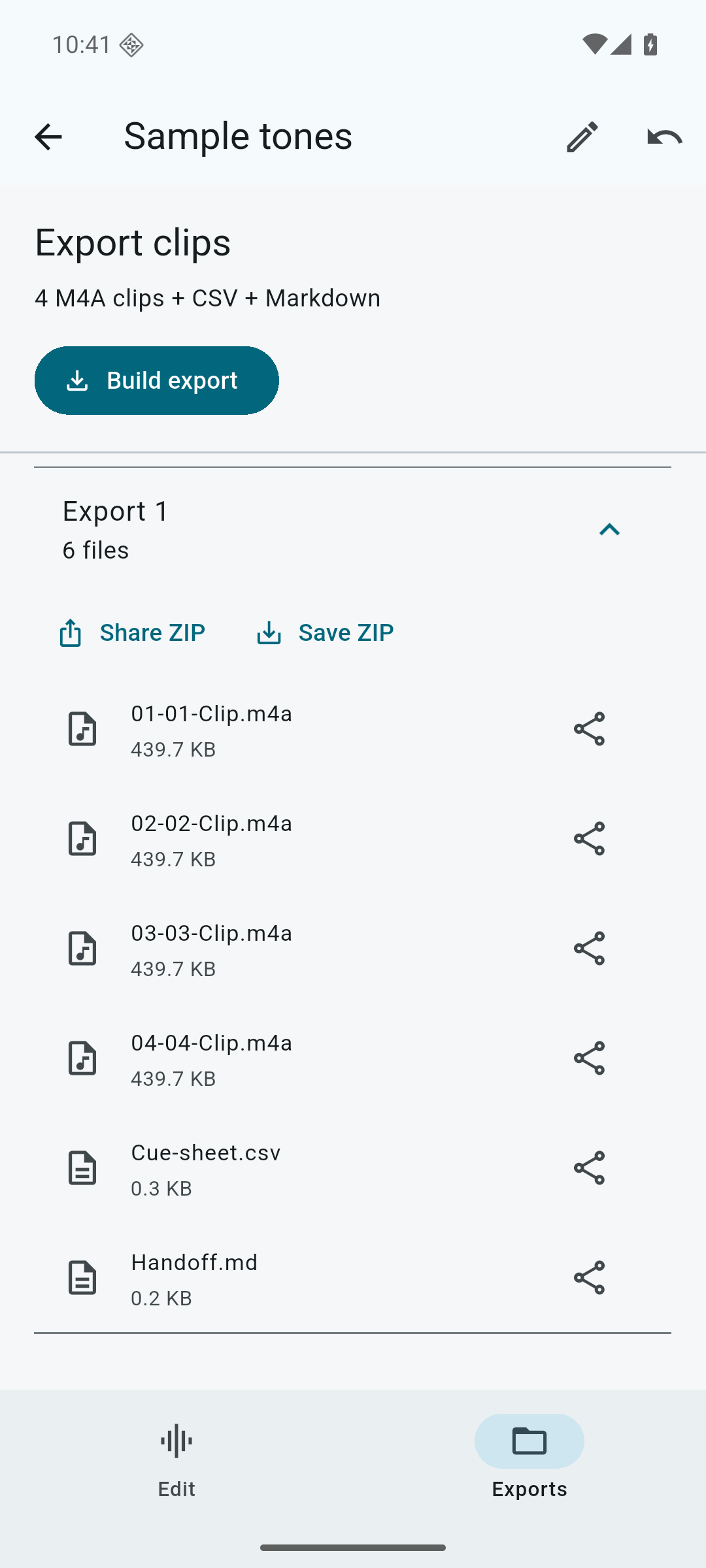
Preview the exported clips. Save or share the complete ZIP when the result is ready.
A useful delivery, not just a cut
Audio files. Source times. One ZIP.
- M4A clips
- Separate audio files for the clips you selected.
- CSV cue sheet
- Clip names, source start and end times, durations, and filenames.
- Markdown handoff
- A readable list to pass along with the audio.
Real output from the built-in 12-second sample, split into four clips.
Before you buy
A focused audio splitter.
For preparing clips from interviews, lessons, rehearsals, or other recordings you already have.
Does it record or transcribe audio?
No. ClipCue imports existing audio. It does not record, transcribe, remove background noise, or mix tracks.
Which files can I import?
Audio formats that Android can decode, up to 500 MB and two hours per source file. Format support depends on your device.
Do my recordings leave the device?
Editing and export run on your device. Files leave the app when you choose a save location or share destination. ClipCue has no account, ads, cloud upload, or subscription.
Can I come back to a project?
Yes. Imported source copies, cuts, names, selections, and export history are saved locally. Deleting a project removes its local copy and exports, so save important output first.
Give every clip a clear handoff.
ClipCue Audio for Android