Plan the wall.
Know the marks.
Arrange your framed artwork to scale, then take measured hanging coordinates to the room.
One purchase. No subscription. Apple shows your regional price.
Measure
Enter your wall and frame dimensions in centimeters or inches. Add your own artwork photos.
Arrange
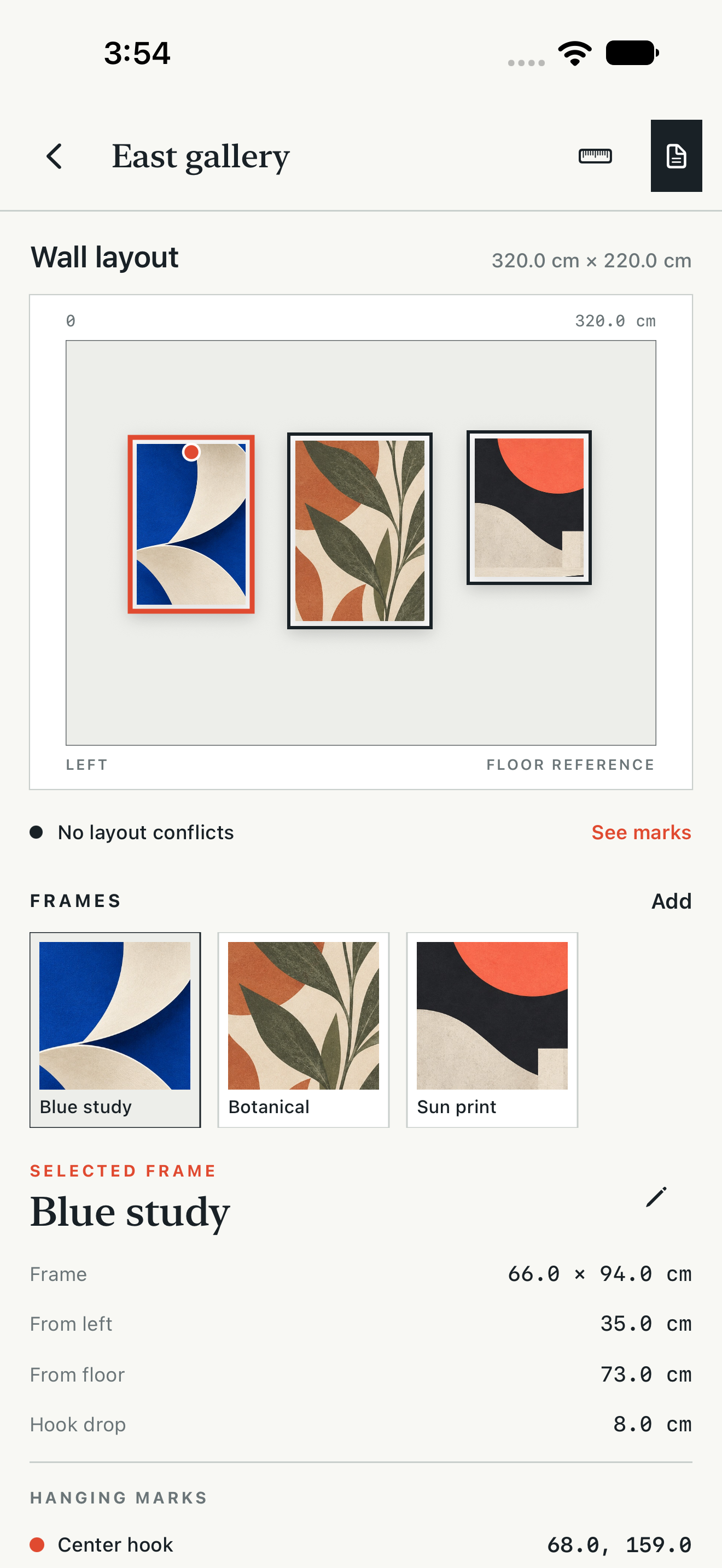
Drag frames into place or enter exact positions. Check overlaps and close spacing before making holes.
Take the marks
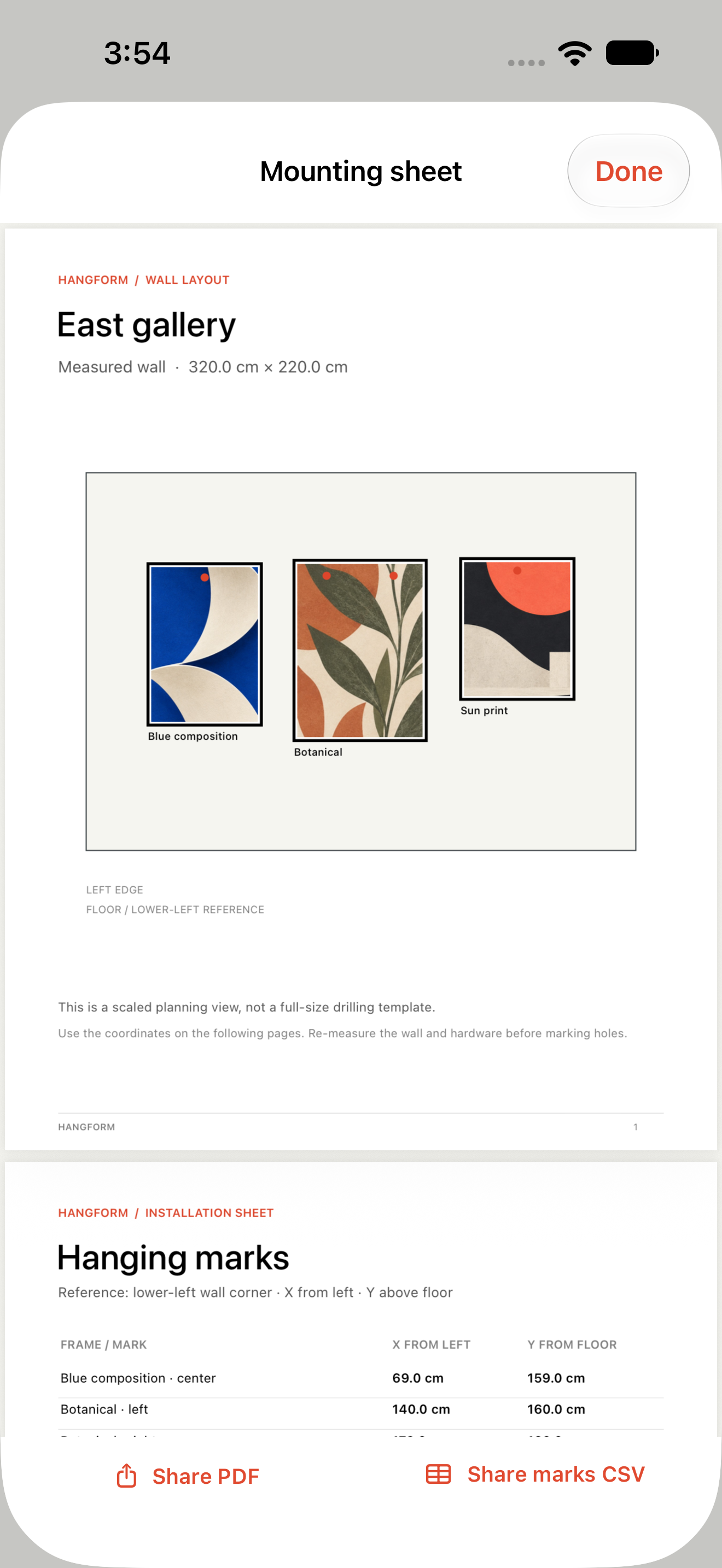
Enter the measured hook drop and spacing. Export a PDF mounting sheet and CSV coordinates from the wall’s lower-left corner.
Version 1.1 preview
The prepared update protects previous work when a save fails, keeps exported snapshots separate and refines the iPhone and iPad workspace. These are actual Release simulator screens of an explicitly added sample wall, not customer artwork. Preview images do not establish review approval or availability.
Your measurements determine the plan.
Hangform does not measure through the camera, detect studs, pipes or wires, select anchors, or assess weight and structural safety. Re-measure the wall and loaded frame hardware before making holes.