 Looploom
Keep what makes
the repeat work.
A focused audio loop editor for sound designers, sample makers and creators preparing repeating sounds. Inspect the actual samples at the join, compare nearby boundaries, and listen before exporting.
macOS 14 or later · Paid once through the App Store · Review submission in progress; availability depends on Apple approval.
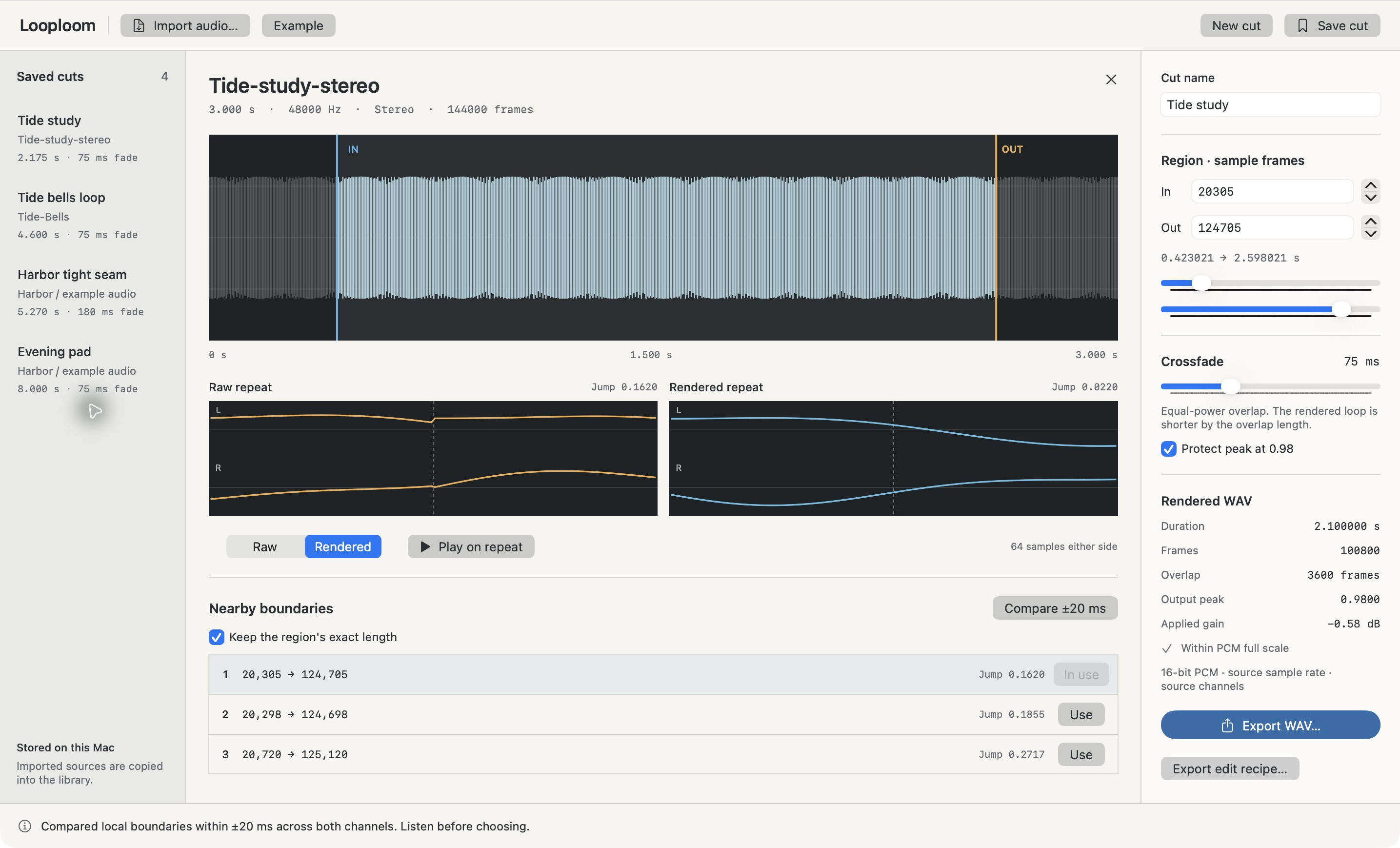
One sound, a deliberate edit.
- Exact sample boundaries
- Enter in and out frames or use sliders and single-frame steppers. The out frame is exclusive. Compare up to three local alternatives within ±20 ms, optionally keeping the selected region's exact frame count.
- Hear the difference
- Repeat the raw region or the rendered loop. See both channels' boundary traces and the worst channel's sample jump. A smaller jump alone does not promise a better musical loop.
- Protect the overlap
- Set an equal-power crossfade from 0–250 ms. The applied overlap is capped at a quarter of the region. Its length is removed from the output. Optional peak protection applies one gain across all channels to cap the rendered peak at 0.98.
- Keep the editable cut
- Named cuts store their settings and a private copy of newly imported audio. Reopen them after the external source moves. Older saved cuts can migrate their source copy when successfully reopened.
- Export actual audio
- Save a 16-bit PCM WAV at the source sample rate and channel count. A separate JSON recipe records exact boundaries, overlap, gain and source/output SHA-256 hashes. It is a processing record, not an audio backup or an importable project format.
Built for short local sources.
WAV, AIFF, M4A and MP3 depend on macOS decoding support. Mono or stereo; integer sample rates from 8–192 kHz. Input must be 0.25–300 seconds, no larger than 128 MiB, and no more than 24 million decoded frames. All limits apply together. Minimum region length is a quarter second.
No recording, beat detection, time stretching, multi-track mixing or cloud processing. Export without peak protection clamps samples outside PCM full scale; the app shows an overflow warning before export. Your ears remain the final check.
Help when you need it.
Read the workflow and troubleshooting guide, or contact Gobling Company support. No account is needed to use the app.