
A waveform.
A whole new movement.
Wavelyn turns a sequence of cycles into a wavetable you can hear, keep and export.
For iPhone & iPad · One purchase · US $4.99
App Store release pending review. Prices vary by region.Shape your sound
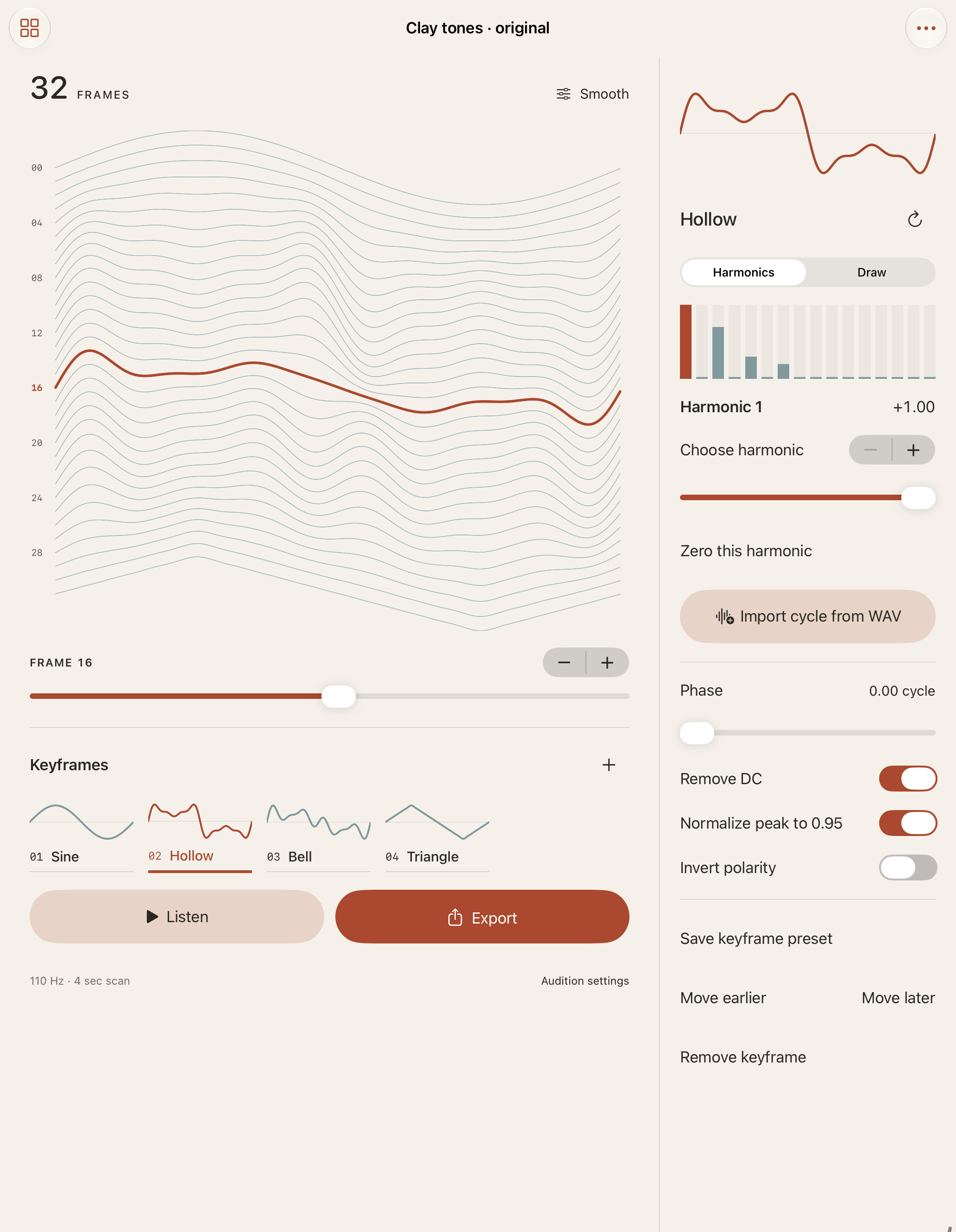
Edit 16 signed harmonics, draw 32 points or select a known cycle from your own WAV.
Build its movement
Arrange 2–8 keyframes, interpolate 16/32/64 frames and audition a real full-table scan.
Take the files
Export float32 table WAV, individual PCM16 cycles, measurements, PDF proof and restorable project JSON in one ZIP.
Files with a clear format
Tables contain consecutive 2048-sample frames in mono IEEE float32 WAV at 44100 Hz. Set the frame length explicitly in your destination software. No proprietary synth markers are written, and synth, DAW or hardware compatibility has not been verified.
Wavelyn provides waveform editing and an audible preview, without AUv3, MIDI, recording, keyboard performance or effects. There is no automatic pitch or cycle detection. Imported or drawn cycles can alias; audition at low gain.
Import limits
Standard RIFF mono/stereo PCM8/16/24/32 or IEEE float32 WAV, up to 8 MB, 10 seconds and 2 million channel samples. Explicit cycle range: 64–8192 samples. Extensible, compressed and RF64 WAV are unsupported.
Keep editable work
Save 24 local tables and 12 keyframe presets. Retain 4 original WAVs per table within a 128 MB source-library limit. Project JSON backups include settings and all retained original bytes. Export files can be shared through the native share sheet.
Support
Contact maga40@naver.com with your device model, iOS version and the action that failed. Share a file only if you own it and want us to inspect it.
Quick start
- Create a table or choose the explicitly labelled original Clay tones study.
- Edit a keyframe. For WAV input, select your cycle start, length and channel.
- Choose table size and interpolation, then Listen.
- Export → Generate table files. Share the ZIP or individual files; preview the actual PDF proof.
To restore, choose More → Import project backup and select Project.wavelyn.json. Library allows duplicate/delete; Original WAV files allows sharing/deletion. Removing an original keeps its extracted cycle but removes that original from future backups.
Privacy policy
Effective October 2, 2026. Wavelyn is made by Gobling Company.
Wavelyn does not collect data from the app. It has no account, advertising, analytics, tracking or developer upload. Your projects, cycle data and imported original WAV files are stored locally. Playback is generated on your device.
Files leave the app only when you choose a system sharing destination. Apple/device backups and services you choose have their own policies. Delete a table in the library to remove its local project folder, including its originals and exports. Files already shared outside Wavelyn must be deleted from the destination separately.
If you email support, we receive the information and attachments you choose to send. Contact maga40@naver.com for support-data deletion.
Terms
Use only WAVs and sample material you have rights to use. You retain ownership of your original material. Check exported files in the destination before relying on them. Third-party synth names are not endorsements or compatibility promises. Purchase and refund handling follows Apple's App Store terms.