
Team proposals for Mac
Keep the starting team in view.
Freeze a roster. Edit a reporting proposal. See the exact changes and send a complete handoff document.
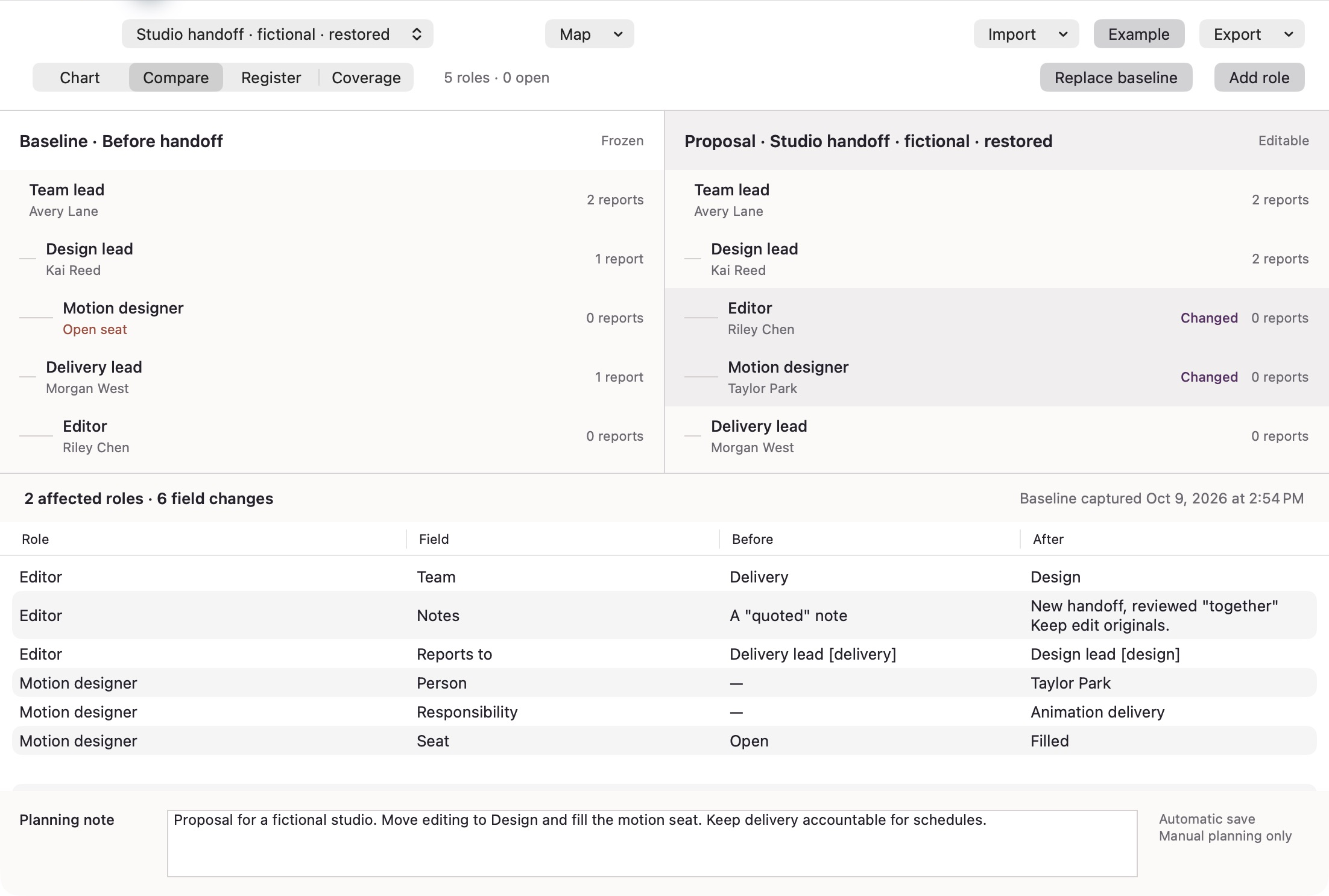
The baseline stays put.
Capture the current team before editing. Reporting parents, people, responsibilities, notes and seat status remain in the frozen baseline while you work on a proposal. Direct-report counts follow the actual hierarchy.
Read what changed.
Compare two hierarchical rosters and inspect before/after values by role. The chart, searchable register and missing-field view use the same automatically saved map.
Keep responsibility beside the role.
Choose a reporting parent, person and team. Write the full responsibility and notes. Each role has one parent; invalid cycles cannot be saved. Keep up to 20 local maps and 150 roles per map.
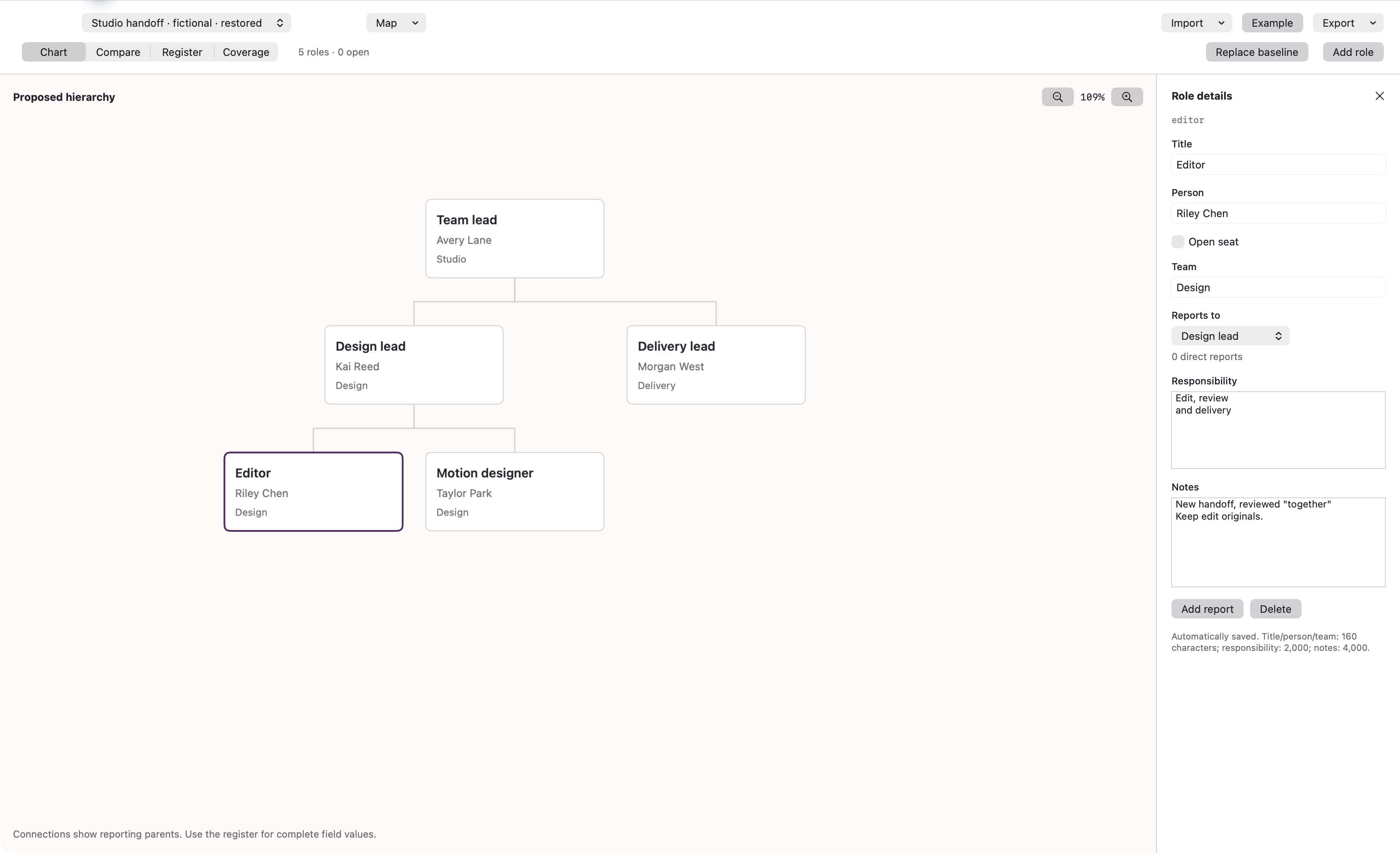
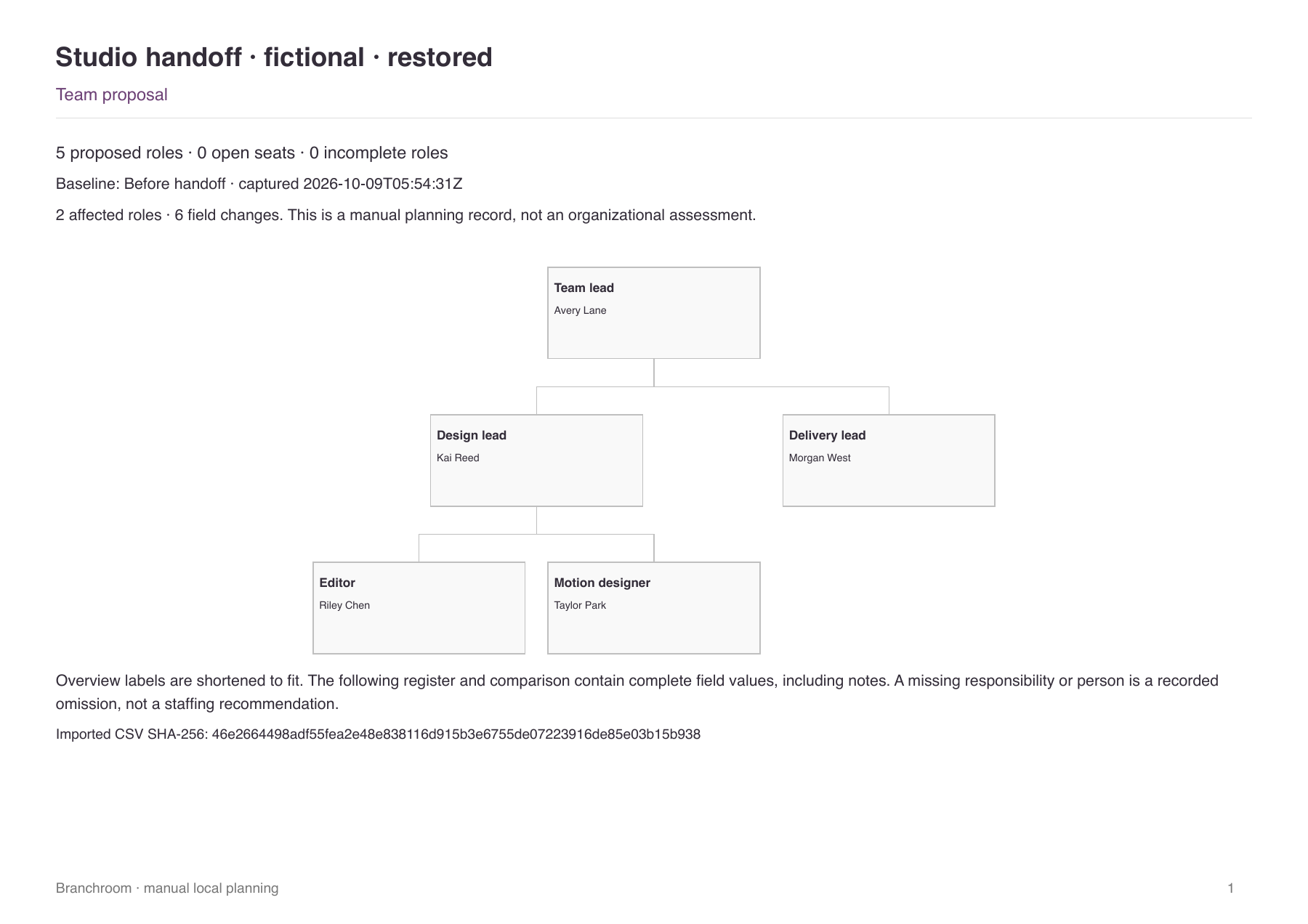
Send the complete record.
A paginated PDF includes the proposed hierarchy, planning note, changed fields and complete baseline/proposal registers. Overview labels are shortened; full responsibilities and notes continue in the registers. Export the current roster or change list as CSV too.
Carry the starting file.
CSV imports retain their exact bytes and checksum. Export the unchanged source or keep it with your maps, baseline and notes in a restorable JSON. Restoring creates a separate named map.
A local Mac purchase.
macOS 14 or later. One purchase includes the complete offline app. No account, subscription, advertising, analytics or upload. Branchroom is manual handoff planning; it does not connect to an HR directory or make staffing decisions.