
From point to print.
Define an outline. Compare its size steps. Carry the checked geometry into editable SVG and actual-size paper tiles.
Preview of the prepared 1.1 update. Check the App Store for the currently available version before purchasing.
US$4.99 once. No subscription, ads or in-app purchases. Regional prices vary.
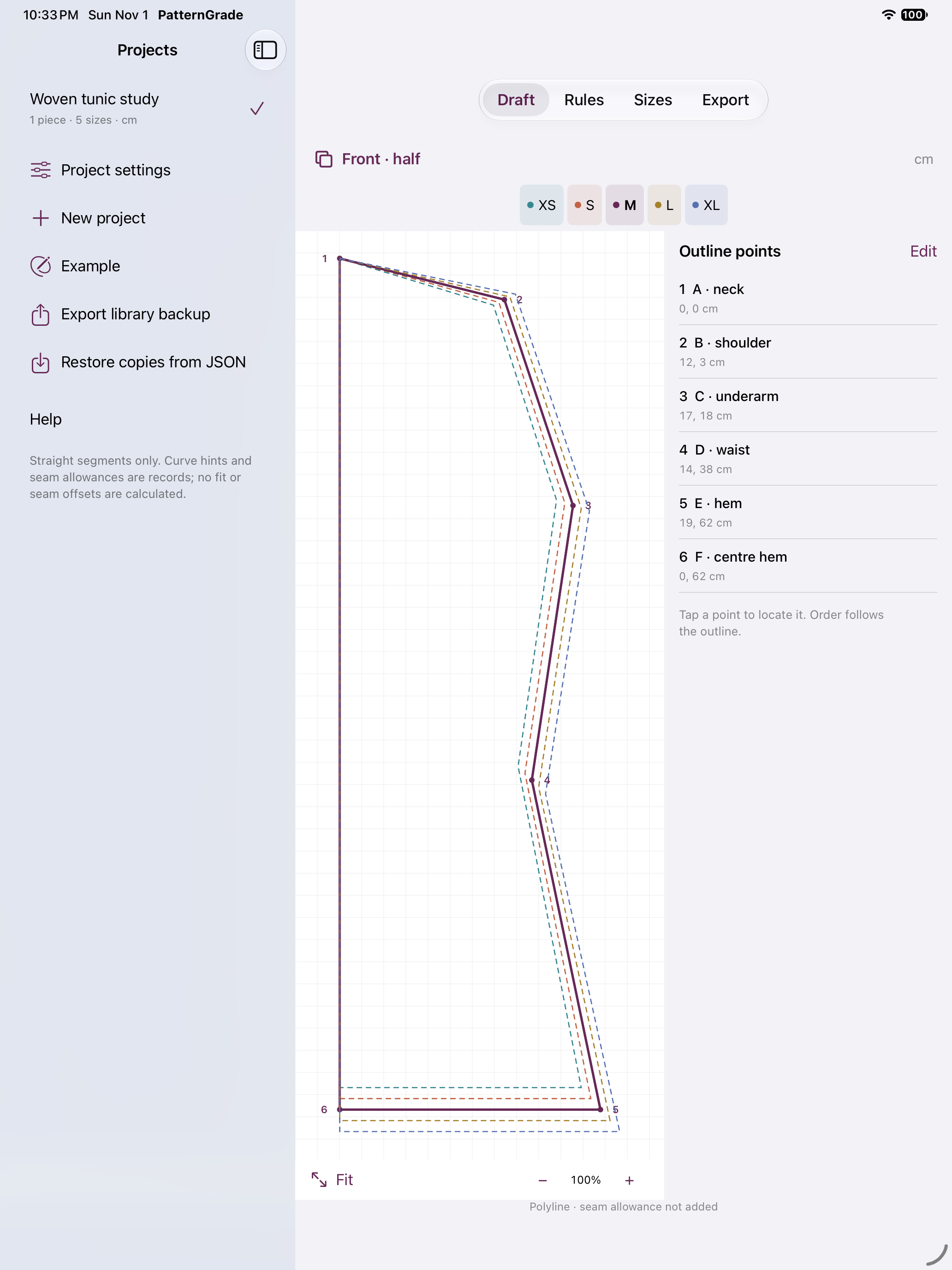
Your coordinates, in order
Edit named points, reorder the outline, and assign a shared X/Y vector to each point name. Switching cm and mm converts points, vectors and reference measurements together.
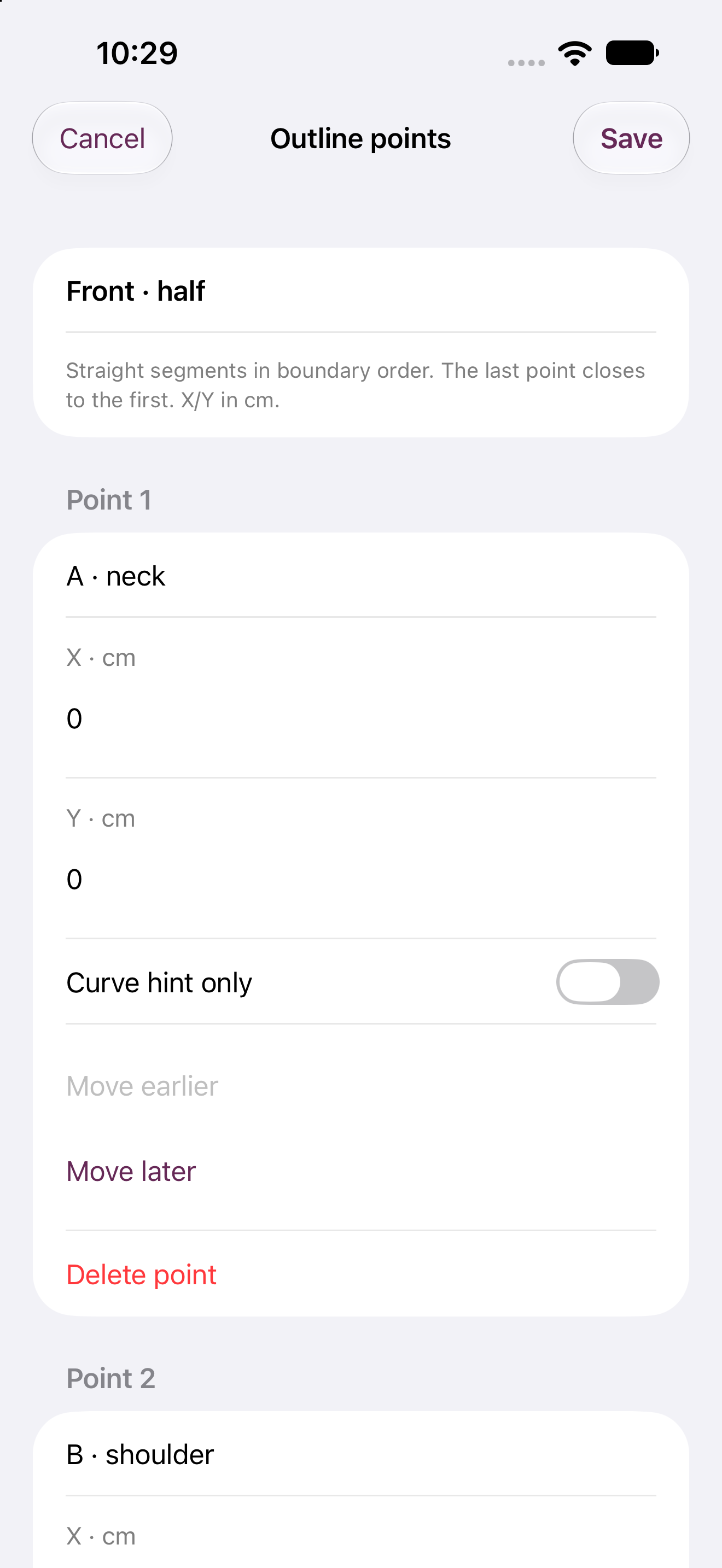
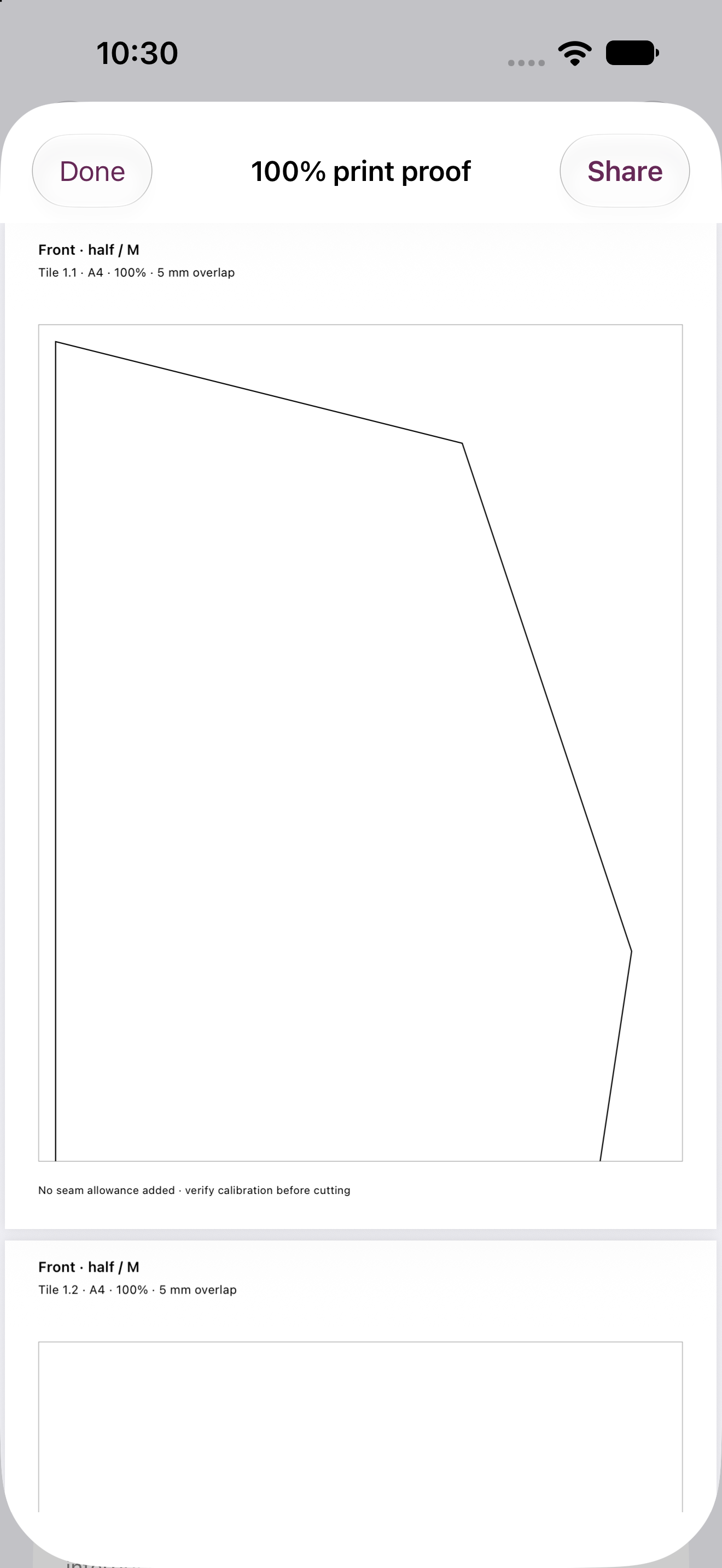
Keep the grade editable
Export nested SVG, quoted rules CSV, all graded coordinates, and project or library JSON. Restore independent copies without replacing your existing projects.
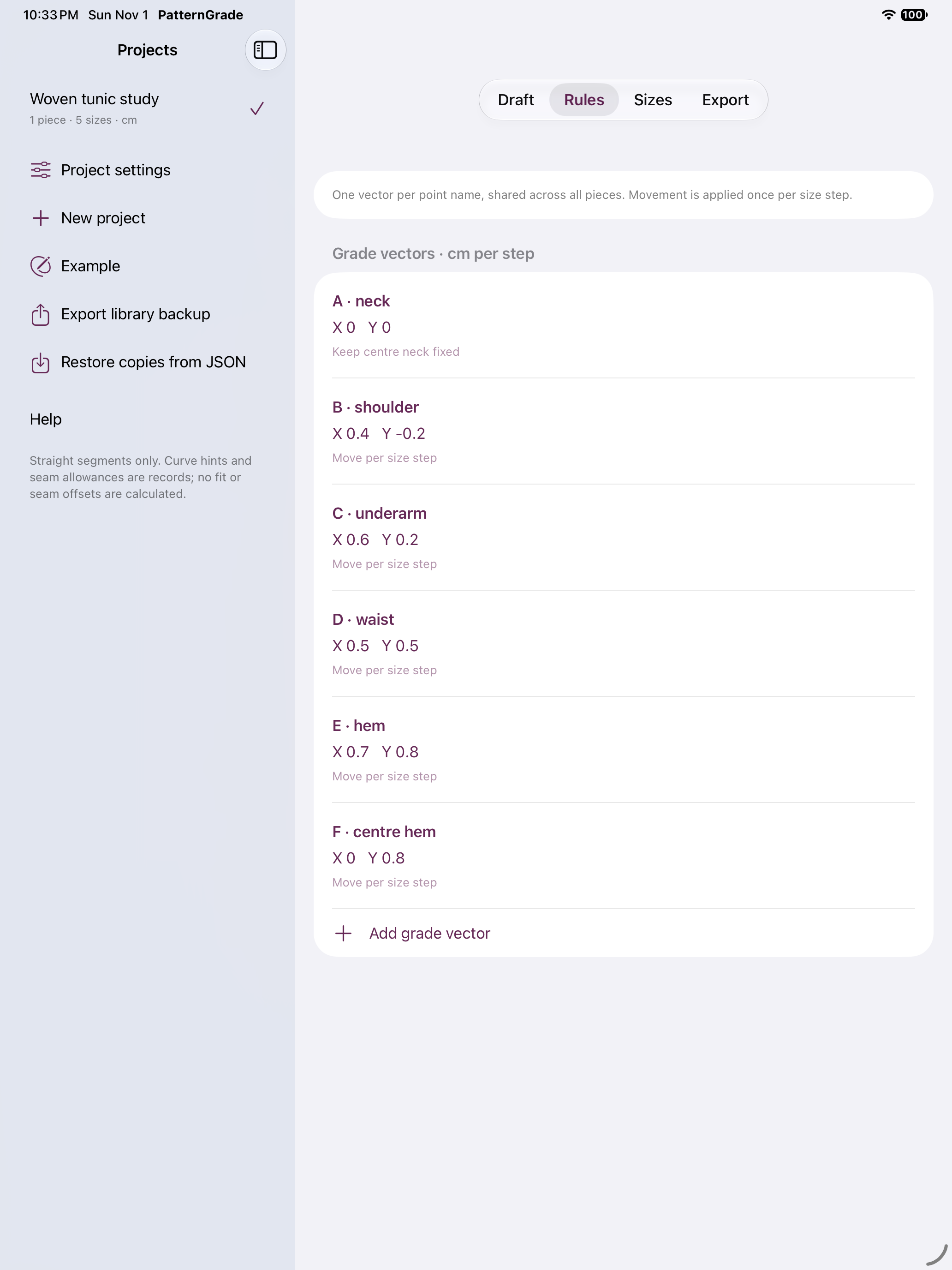
Know what the outline means
Checks flag crossing or degenerate outlines, missing vectors and base sizes, repeated size steps and invalid coordinates. Outlines use straight segments. Curve hints, notches, quantity, mirroring and seam allowances are records; their geometry is not generated. Body measurements do not reshape points. Verify fit and print scale independently.