
A blank cover.
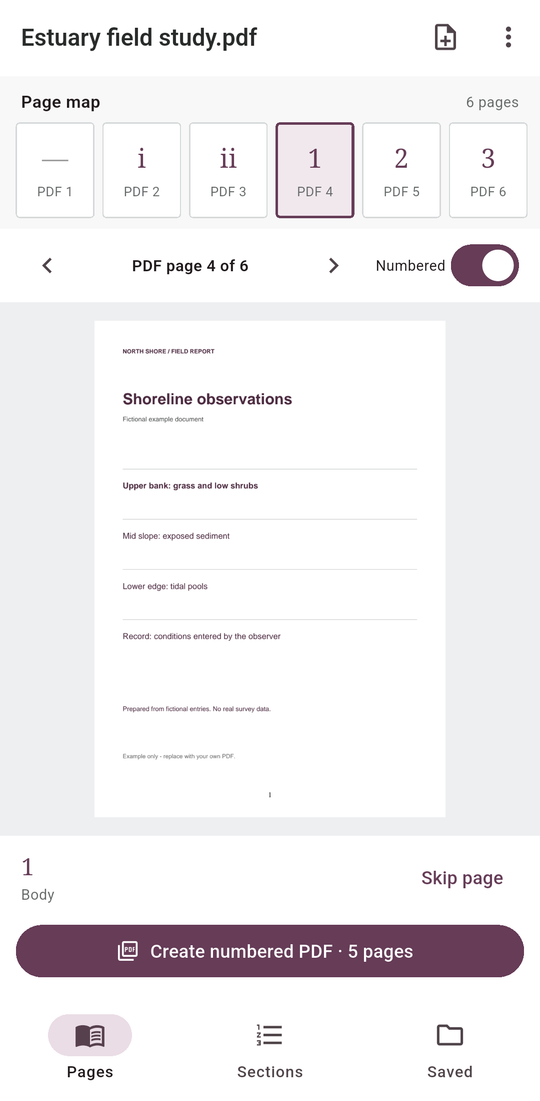
Roman front matter.
A fresh page one.
Put real page numbers on an existing PDF, with separate ranges and restart values for each part of your report.
Android edition in preparation. Google Play registration is pending; this Android app is not available for purchase yet. Planned paid download: US$3.99, with no ads or subscriptions.
One document, several numbering rules
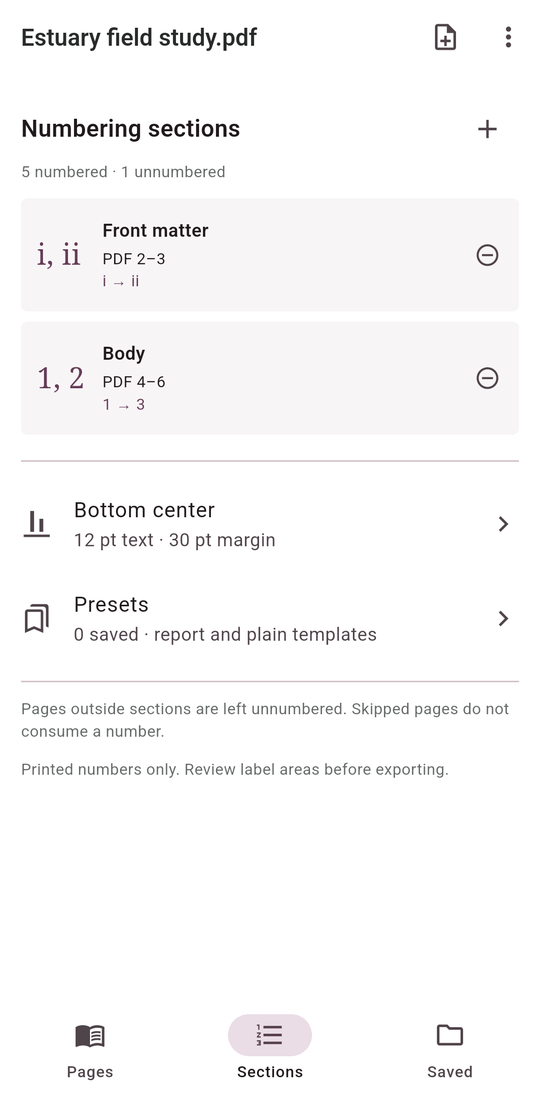
Keep a cover unnumbered, use i, ii, iii for front matter, then restart the body at 1. Define up to eight disjoint sections, skip individual pages without consuming a number, and save reusable exact-range presets.
See the number on the page
The page map shows physical PDF indices beside target printed numbers. Switch between original and numbered previews. Choose a header or footer, left/center/right alignment, point margin, text size, a prefix and plain, Page 1 or number/final-value style.
Keep the original and a clear handoff
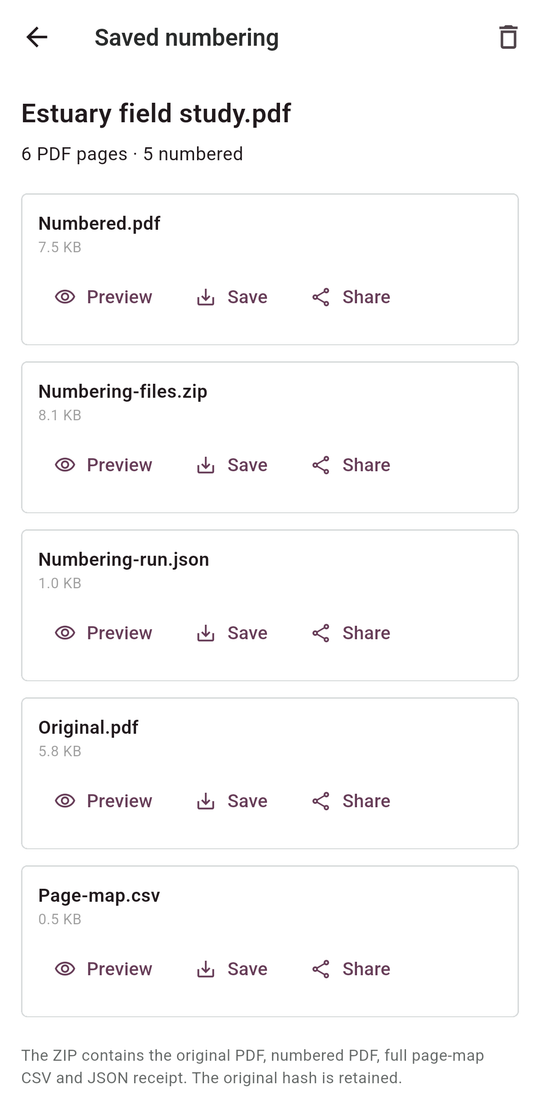
Save a numbered PDF, a complete physical-page map CSV and a JSON receipt with source/output hashes. A ZIP keeps the unchanged original beside the generated copy and records. Preview files, save through Android Files or open the share chooser. Work is stored locally.
Review the label area
A white backing covers the small printed-number area. Existing numbering is not detected or removed, and PDF reader logical page labels are not changed. Review your pages for overlap. Standard unsigned, unencrypted PDFs up to 500 pages and 64 MB are supported; forms and active content are outside this workflow.