BROADCAST WAVE METADATA · iPHONE & iPAD
WAV labels.
Audio intact.
Edit the context inside a recording. Export a new WAV with the original audio bytes unchanged.
One-time purchase. No subscription, ads or account. The App Store shows your regional price.
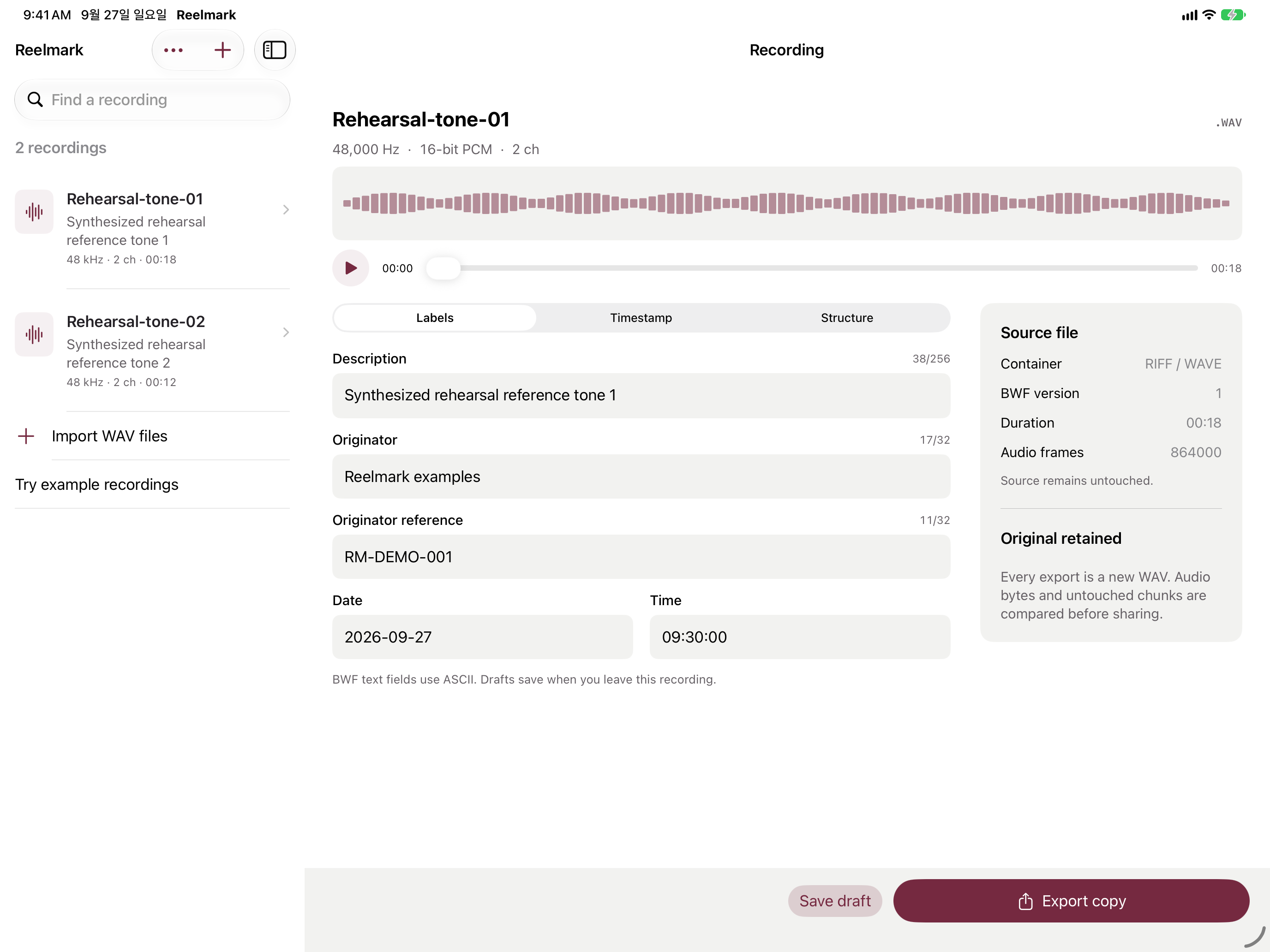
Import a recording
Choose WAV files from Files. Reelmark keeps a local copy and lets you audition the audio.
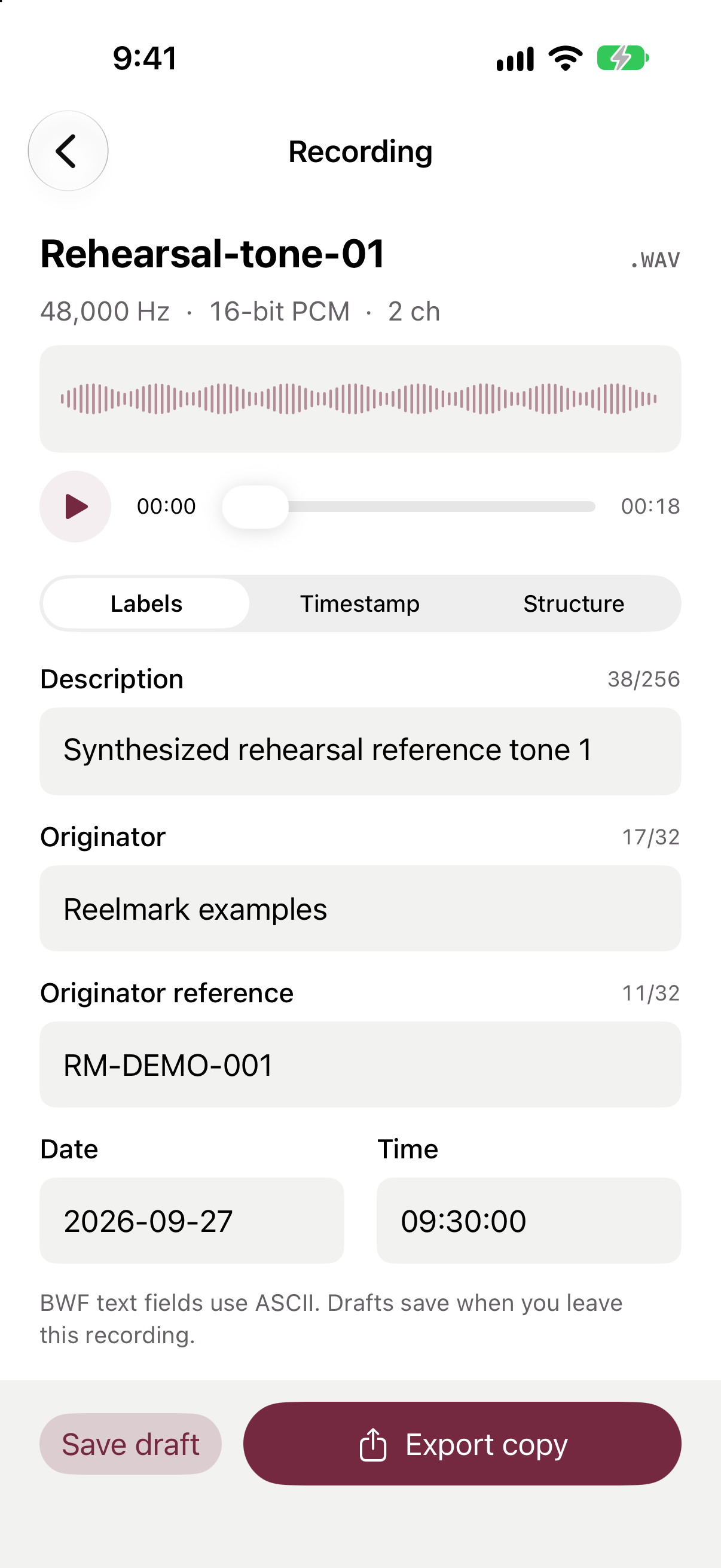
Write its context
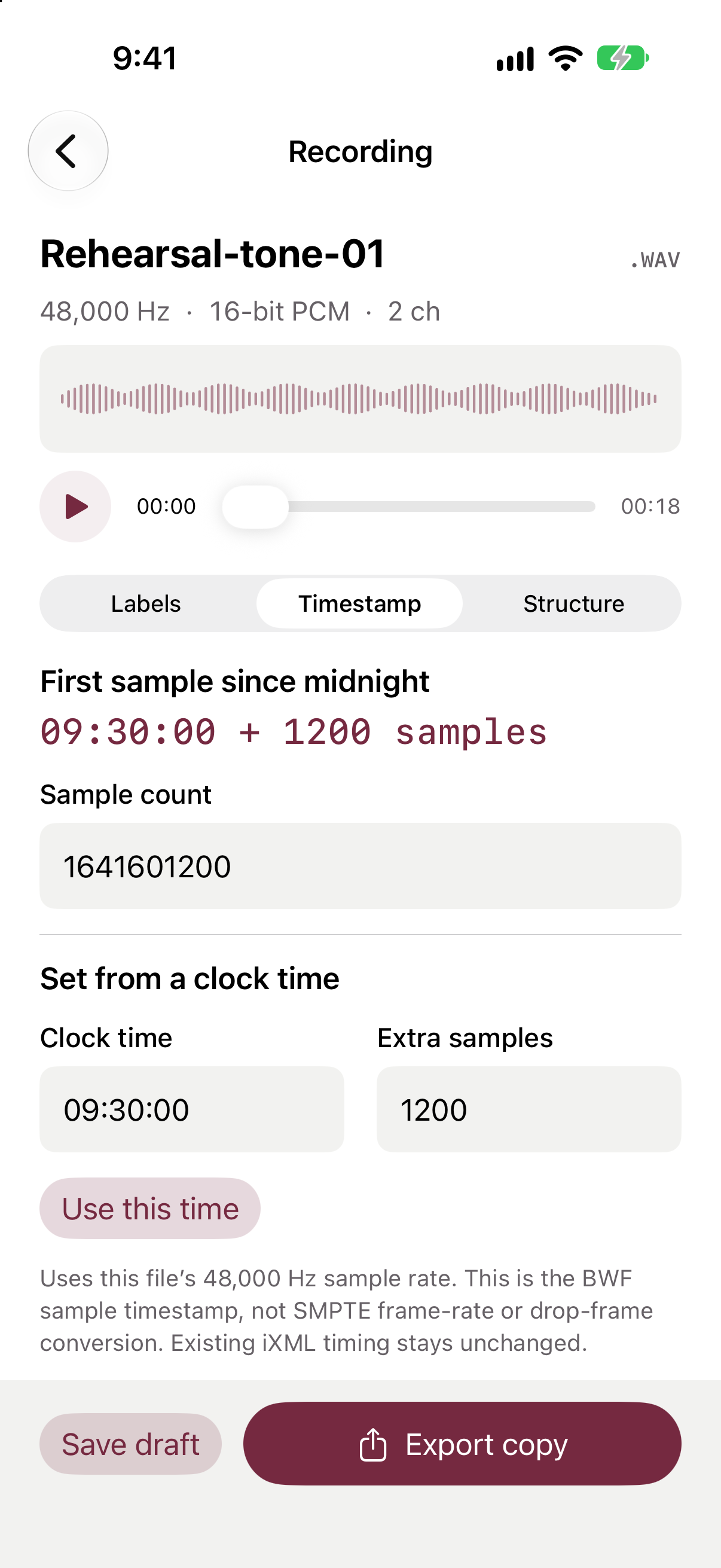
Edit description, originator, reference, date, time and first-sample timestamp. Reuse originator presets across selected recordings.
Share a verified copy
Export a new WAV and a text verification receipt. Audio bytes and untouched chunks are compared before sharing.
The recording stays in view.
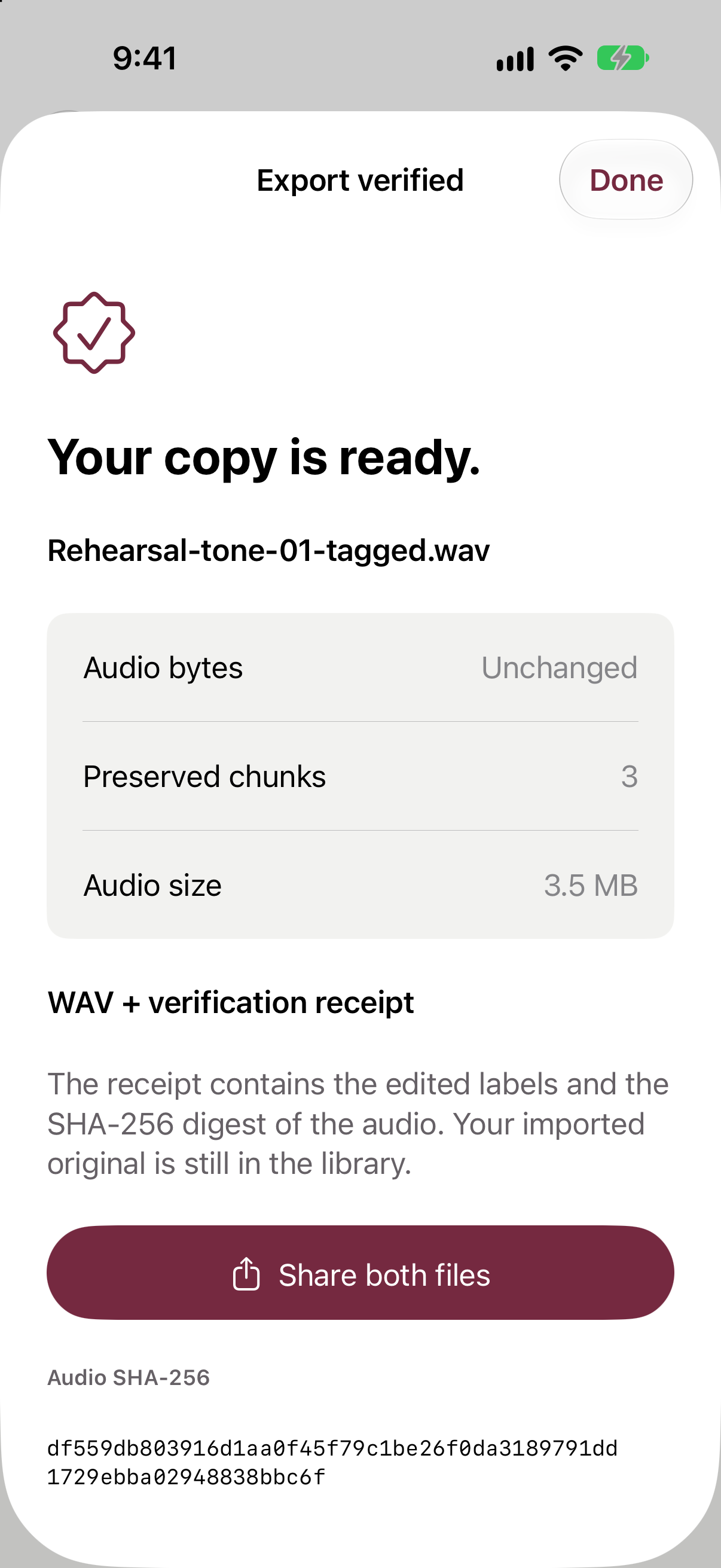
Know what the file check means.
Reelmark checks byte preservation. It does not certify a recording’s authenticity, ownership or sound quality. Existing iXML, UMID, loudness values and coding history stay unchanged; they are not synchronized with your edited labels.
Supports little-endian RIFF/WAVE PCM and IEEE float, including compatible extensible formats, up to 256 MB per file. Not RF64, Wave64, compressed WAV or C2PA-signed WAV. BWF text fields use printable ASCII.