 Reviser
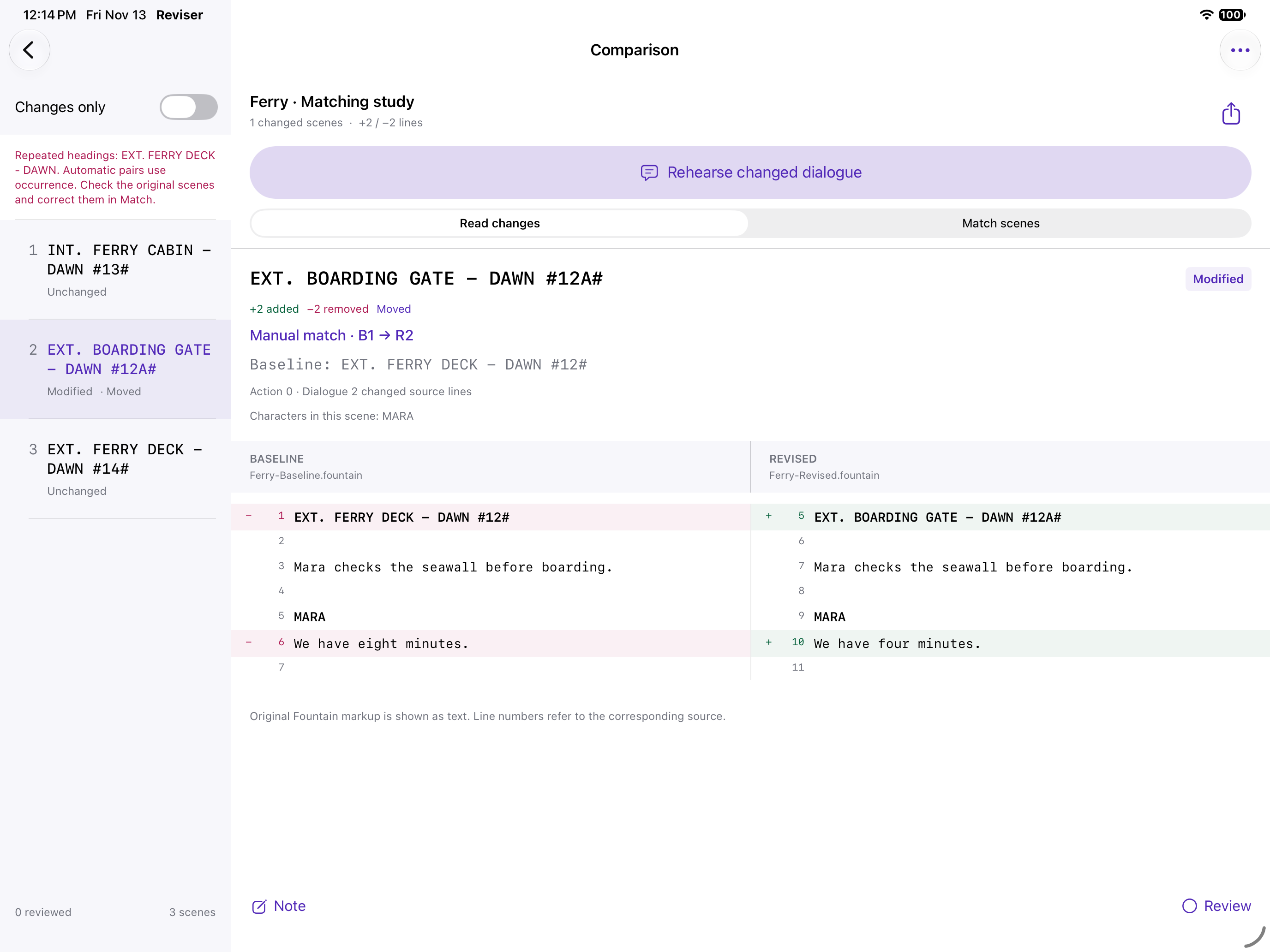
Follow the change into rehearsal.
Choose two local Fountain or UTF-8 text files. Correct renamed or repeated scenes with explicit one-to-one matches, inspect the literal differences and retain your review notes. Changed dialogue builds a character-specific study from those same source matches.
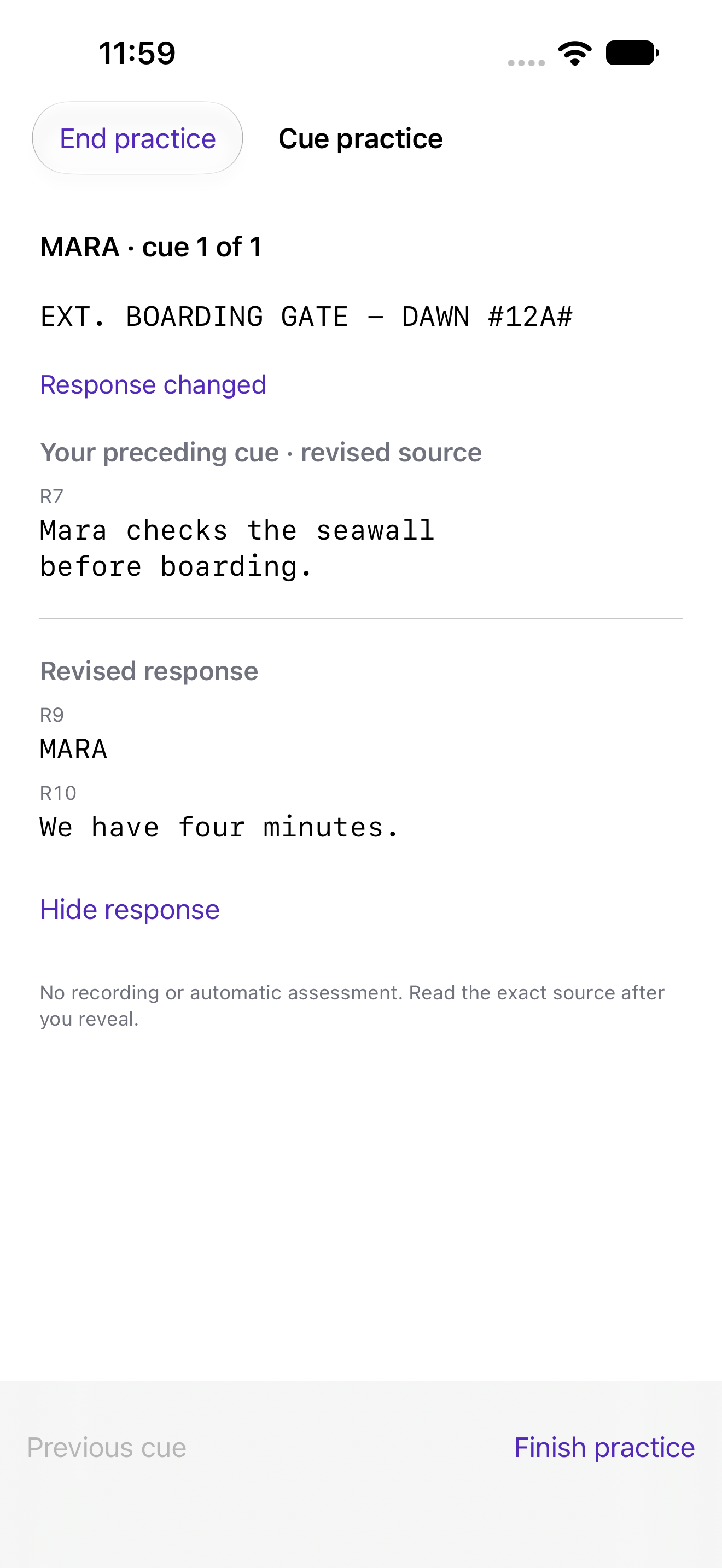
Read the preceding cue, reveal the revised response, hide it and try again. Practice does not mark a scene reviewed or change a draft. Each new practice session begins with hidden responses.
Take the source to rehearsal.
Print a changed-dialogue cue sheet or use its CSV. Both retain baseline and revised line numbers and source fingerprints.
Open the fictional Ferry cue-sheet PDF
Download the same source-numbered cue CSV
The complete eight-file export also contains comparison PDF, line CSV, scene matching CSV, Markdown, restorable JSON and an original-source ZIP. ZIP includes both unchanged drafts and a SHA-256 manifest.
Clear limits, preserved originals.
This is a limited Fountain reader, not a screenplay editor, AI matcher, or full renderer. PDF and FDX input are not supported. Turn correspondence requires an unchanged source-line anchor for the same speaker; ambiguous turns are not guessed. Deleted and simultaneous dialogue remain inspectable and are excluded from sequential practice.
Manual scene matches take priority; remaining scenes use normalized heading and occurrence. Matching changes start a new review context; the last five Undo/Redo states preserve the earlier notes and reviewed marks.
Up to 1 MiB, 3,000 lines, 2,000 characters per line and 500 headings per draft; 40 saved comparisons; 4 MB JSON restore. PDF output is capped at 400 pages, with an explanatory limit file and complete CSV retained when necessary. Export important work before deleting the app.